
T12EM-W Tuya Smart electronic lock
Lowest price in the 30 days before the discount: 189,99 zł


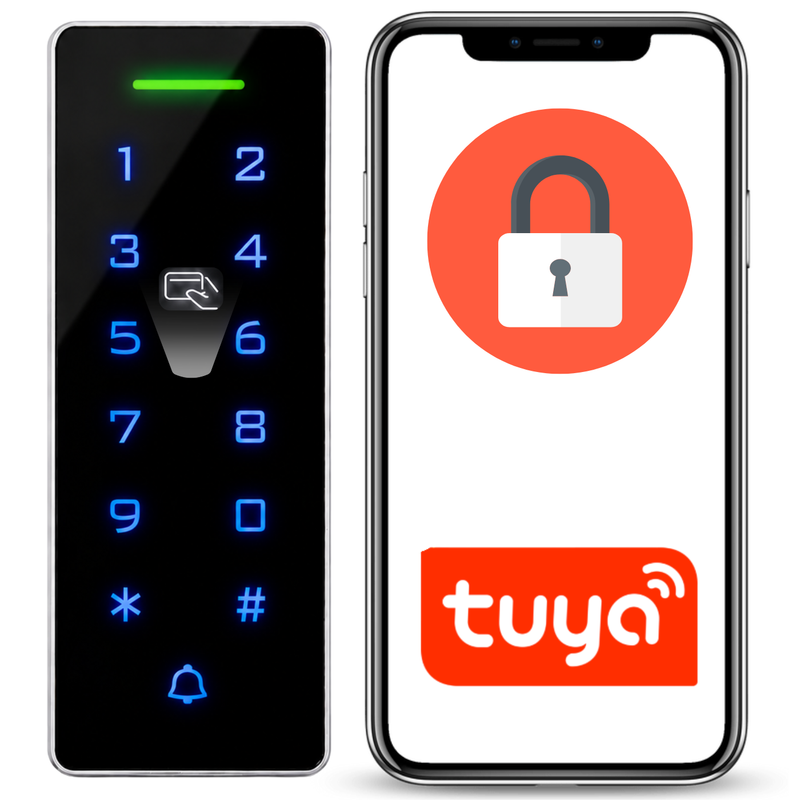




The Spreest WiFi keypad code lock is an advanced access control device that provides versatility and flexibility in managing access to your home or office.
Thanks to its diverse connection options and modern features, this lock offers reliability, security, and ease of use. Ideal for both indoor and outdoor applications, the code lock will perform well in all weather conditions, ensuring long-lasting protection.

Key features
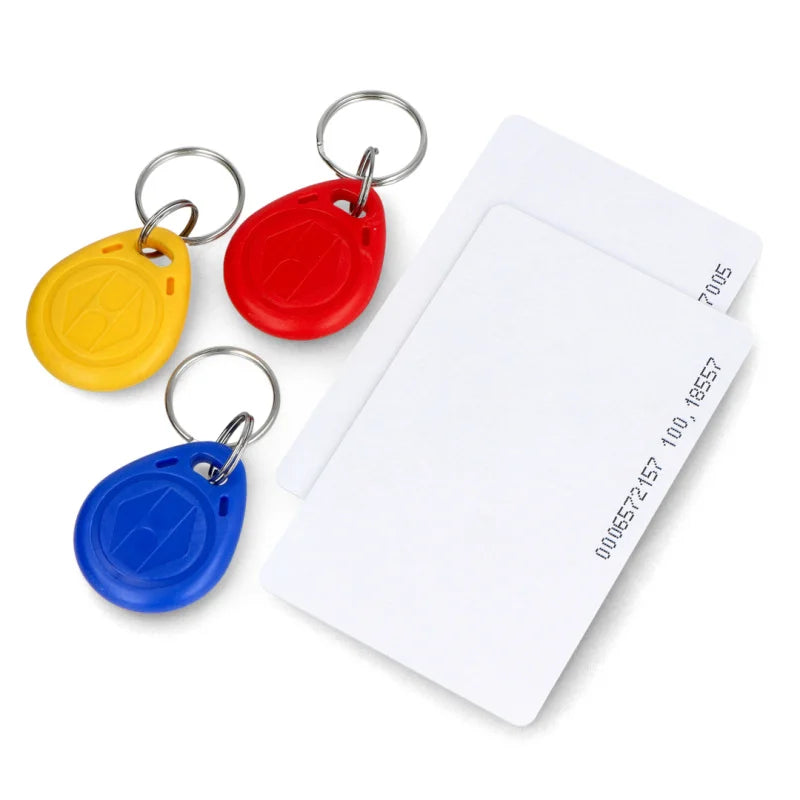
- Versatile opening methods: Proximity card/fob, proximity card/fob and code, code, and the Tuya mobile app provide flexibility and convenience.
- Advanced user management: Ability to add administrators and users with different permissions, ensuring full control over lock access.
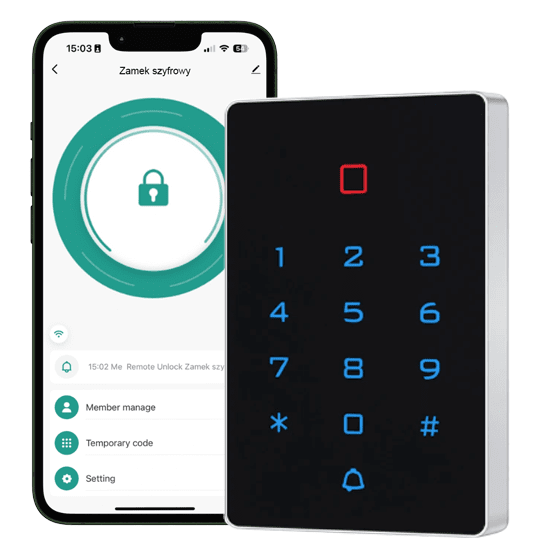
- Remote control: The mobile app allows for remote unlocking, locking, and viewing entry history, providing convenience and control regardless of your location.
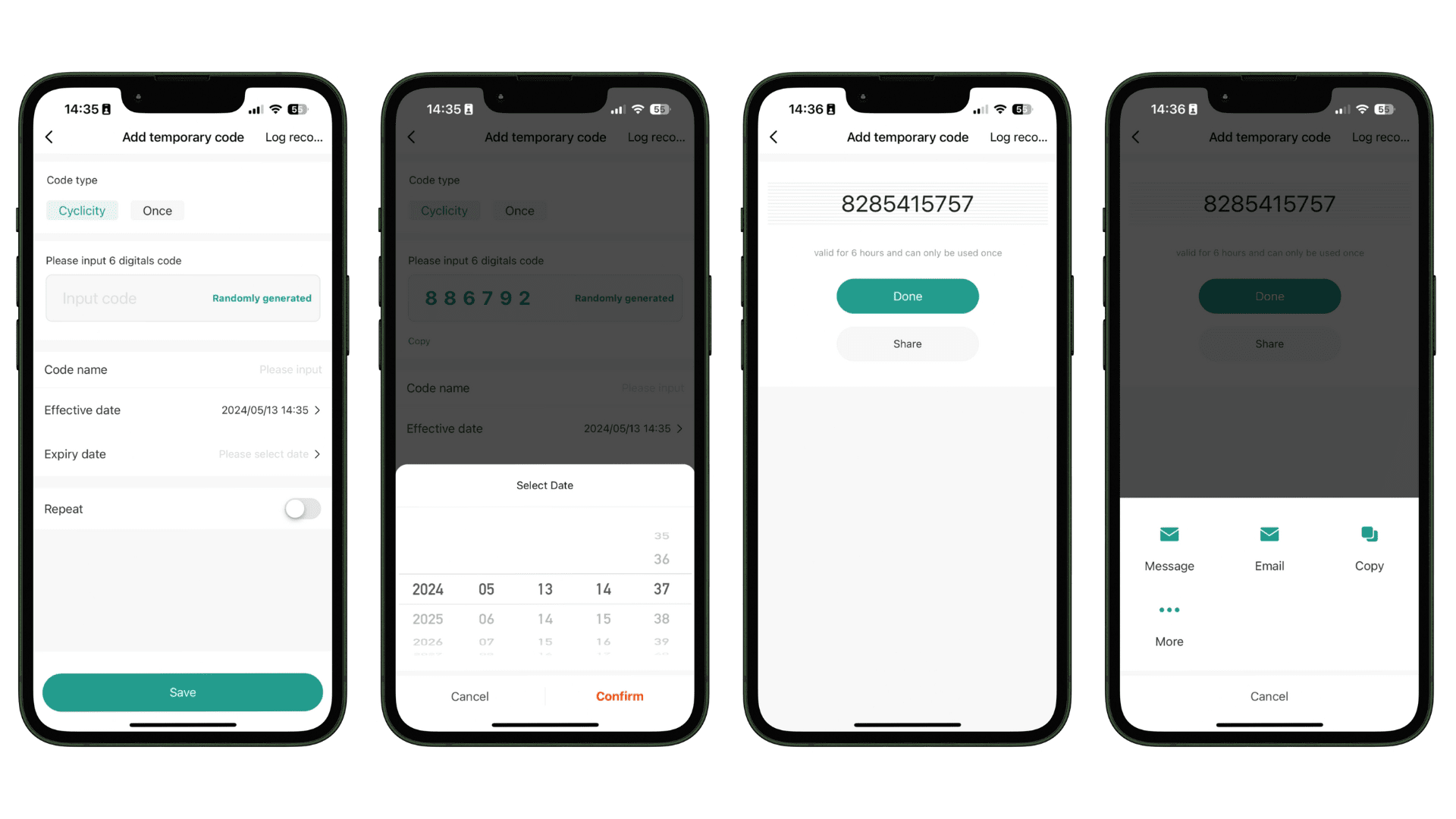
- Temporary access code: Feature for generating one-time or recurring access codes, ideal for guests or service technicians, with easy sharing via SMS or email.
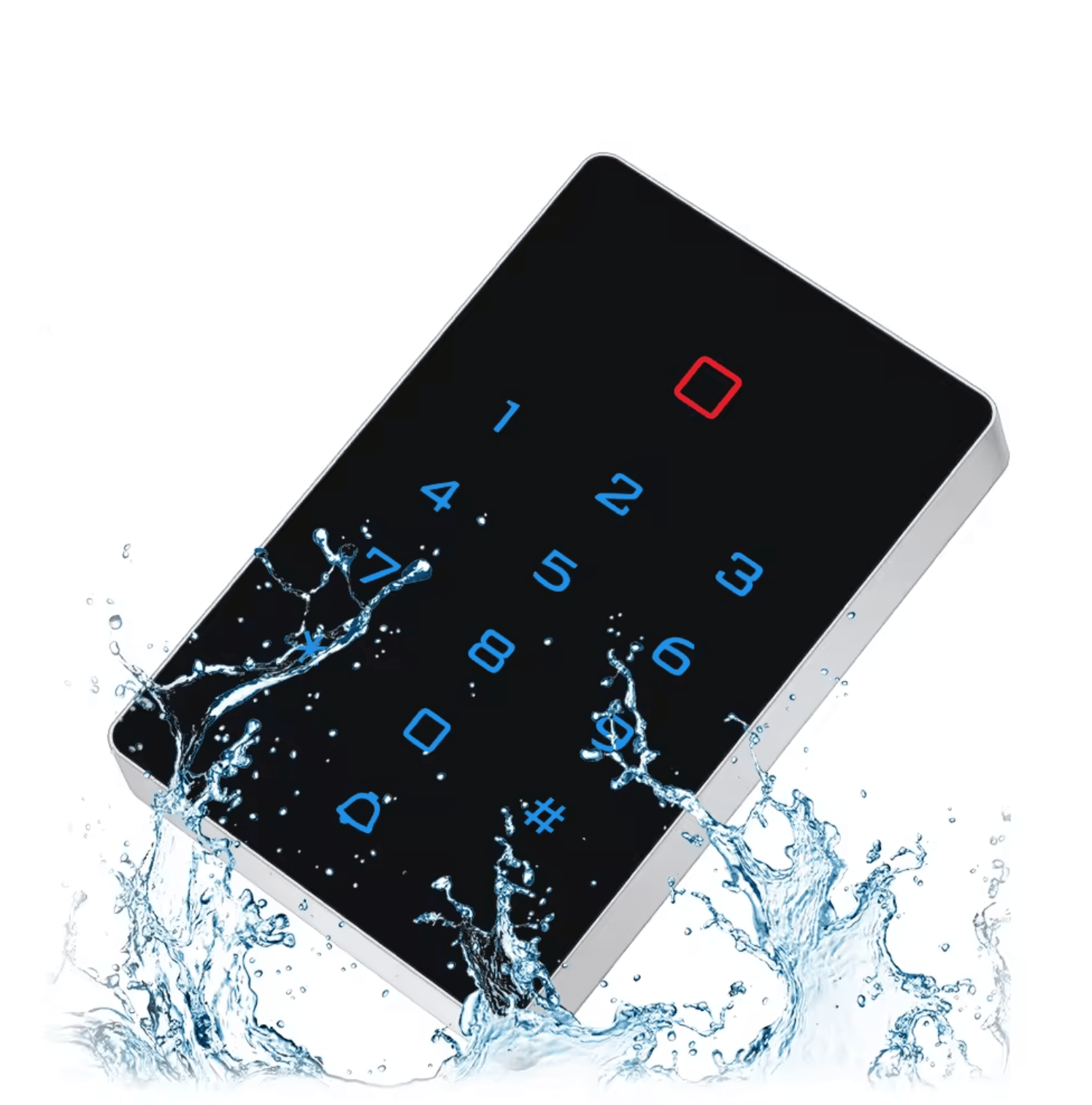
- Water resistance: High waterproof rating makes the lock ideal for both indoor and outdoor applications, operating reliably in all weather conditions.
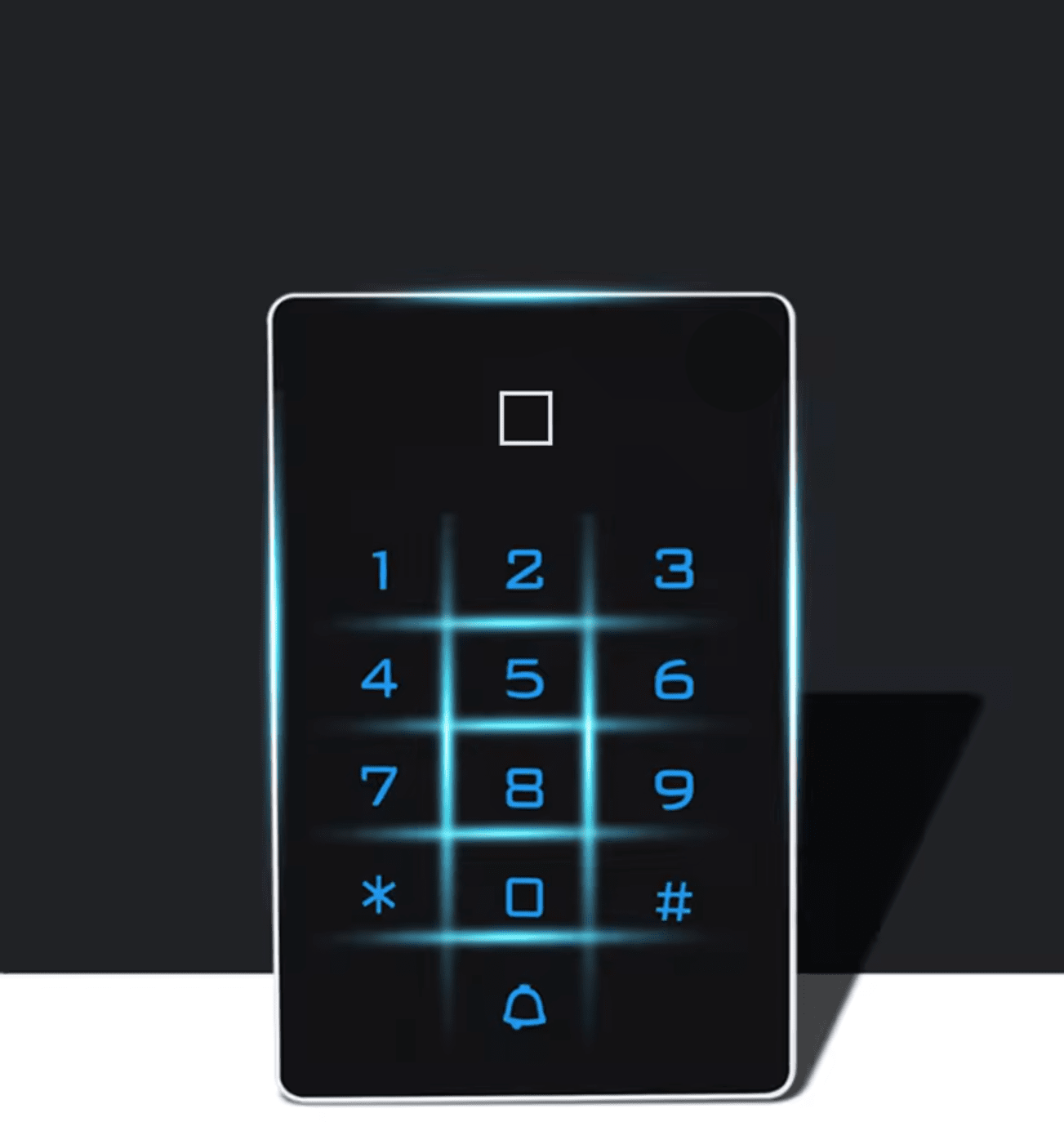
- LED indicators: Colored LED indicators signal the lock status, making it easier to use, increasing security, and ensuring excellent visibility of digits at night.
- Easy installation: Clear instructions and various connection options ensure quick and trouble-free installation.
- Option to connect an external doorbell.

Intuitive Tuya application
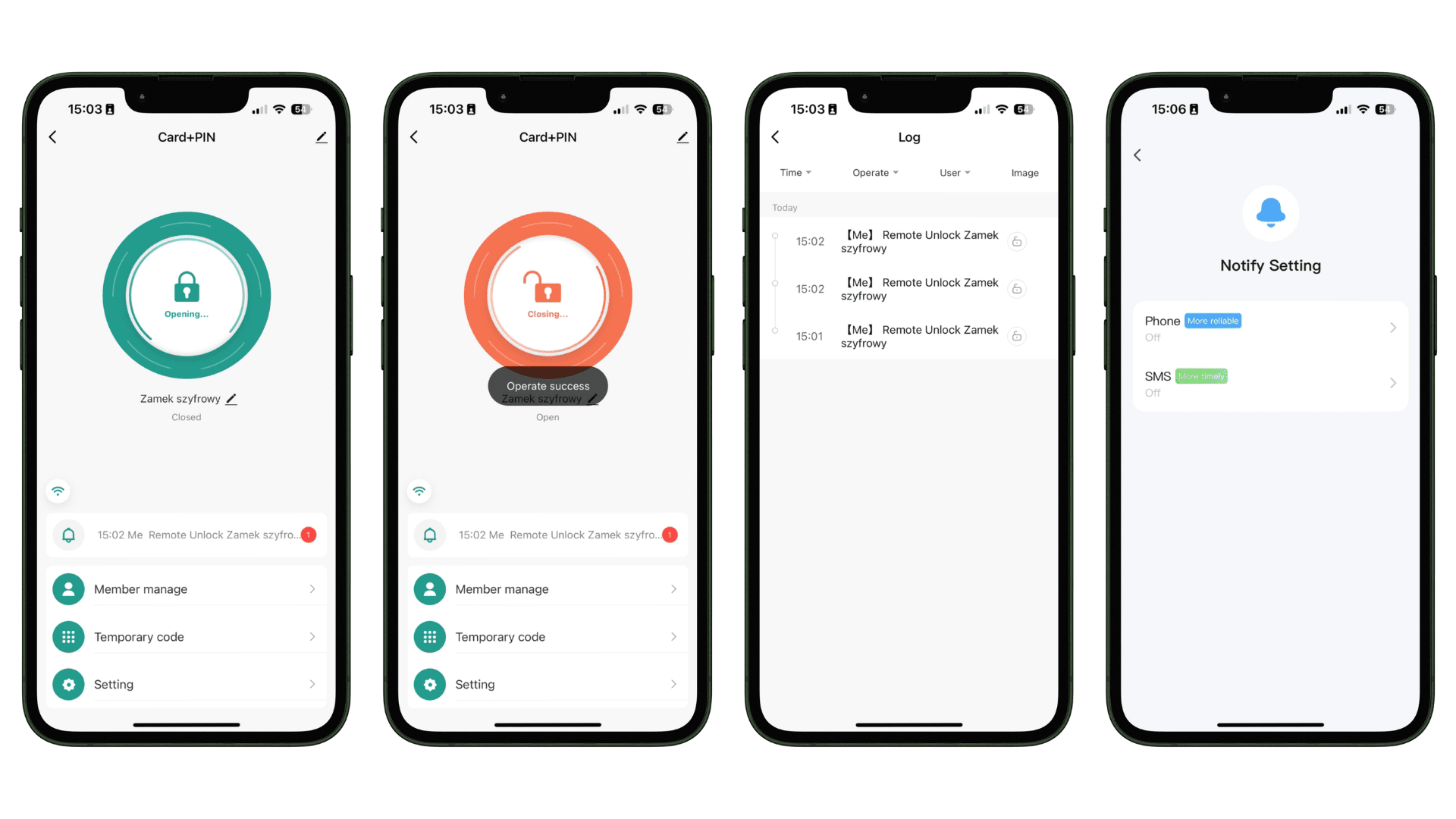
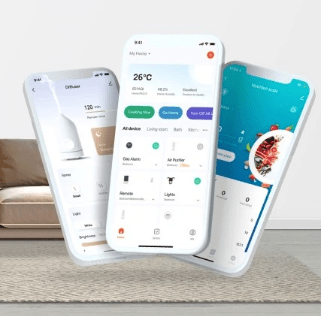
You will always have access to your lock via the free Tuya Smart app. Thanks to it, you can, for example, unlock or lock the lock from your smartphone (Android / iOS), share access, view entry history, receive notifications whenever the lock unlocks, and set a temporary access code.
The intuitive application has been developed with the most popular mobile operating systems, Android and iOS, in mind, so you can be sure that it will be continuously supported and updated. The clear and well-thought-out menu of the application means that despite many options and additional functions, it is impossible to get lost, and daily use of the lock is simple and pleasant.

The code lock offers versatility in opening methods to meet your needs and preferences:
1. Proximity card/fob - Quick and convenient unlocking using a proximity card or fob.
2. Proximity card/fob and code - Two solutions. A security measure that requires both a proximity card or fob and entering a code. If you do not currently have a proximity card or fob with you, you can enter a previously set code.
3. Code - Enter a unique code on the lock's keypad to gain access.
4. Mobile application - Remote opening using the intuitive Tuya application on your smartphone, providing full control.
Thanks to these diverse options, every user can choose the most suitable method of opening the lock, which enhances comfort and safety of use.

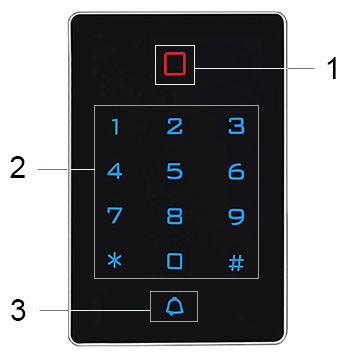
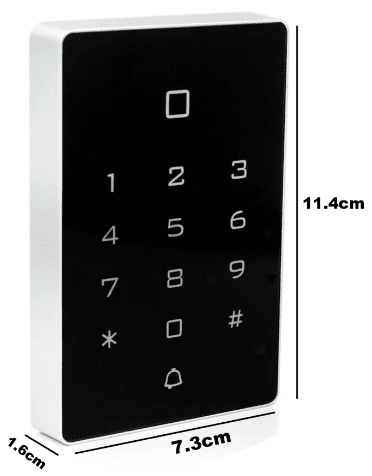
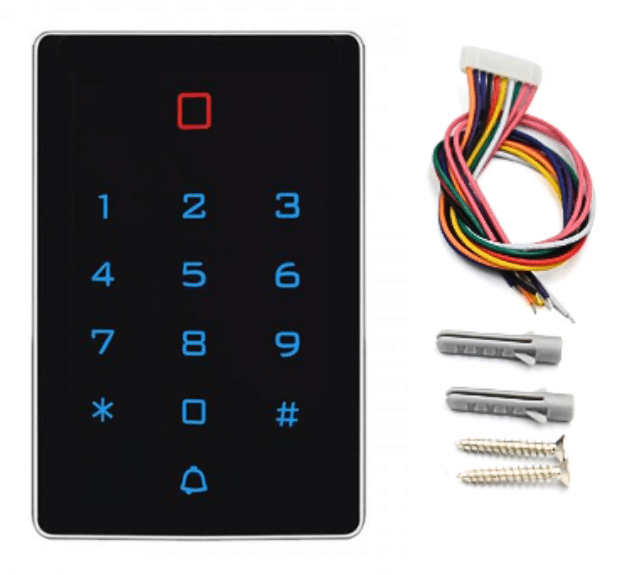
Data on the LED display
1. LED indicating lock (red light), unlock (green light)
2. Backlit touch keypad
3. Doorbell button

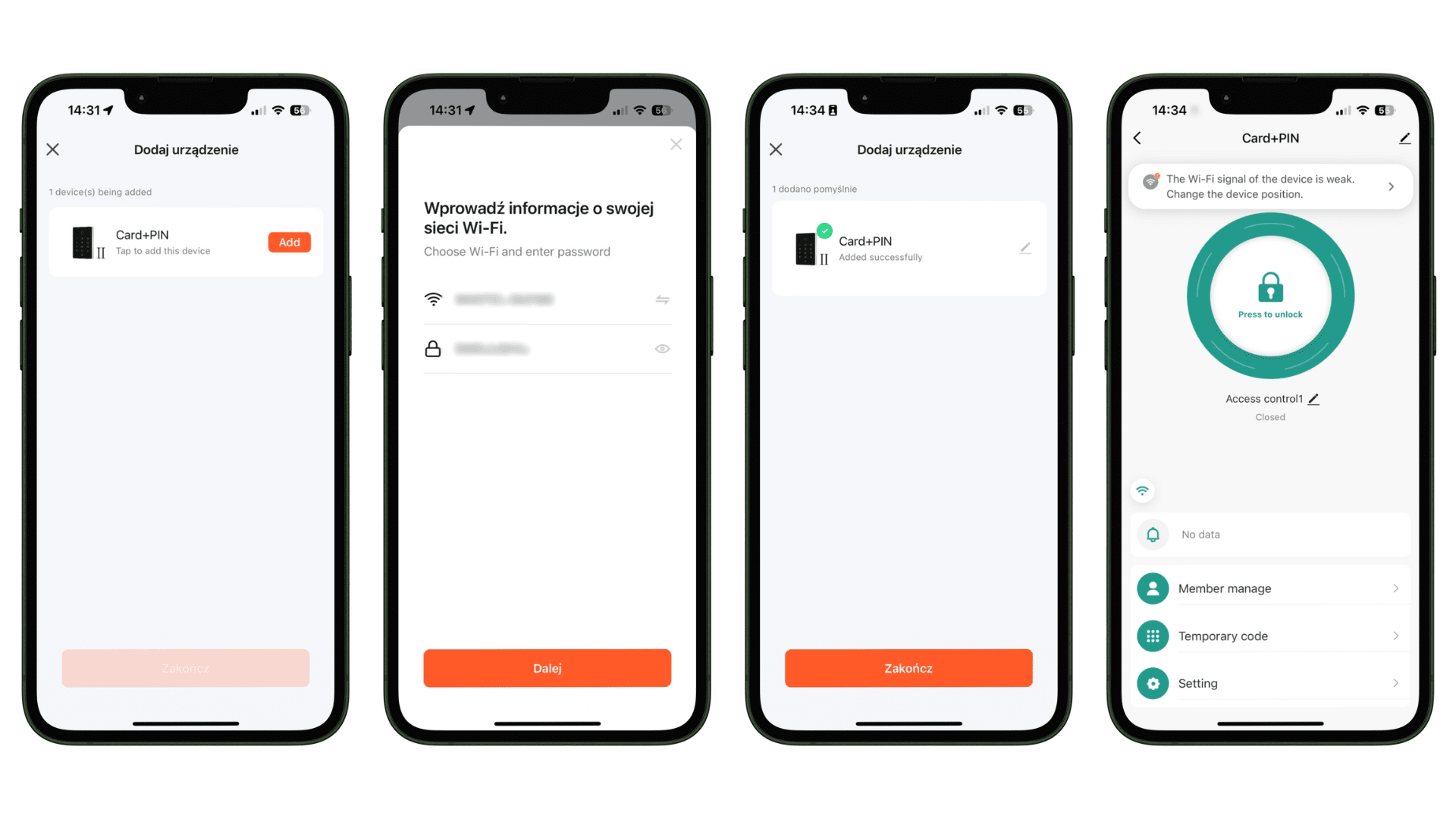
To connect to the WiFi keypad code lock, follow these steps:
1. Add device: In the mobile app, select the option to add a new device. A list of available devices will appear on the screen, from which select "Card+PIN" and press "Add".
2. Enter Wi-Fi network information: Select your Wi-Fi network from the list of available networks and enter the password for that network. Then press "Next" to continue.
3. Connect to the device: The application will automatically connect to the code lock. After successfully adding the device, a message will appear informing you of the successful connection.
4. Complete the process: Press "Finish" to complete the configuration process. On the application's home screen, you will see the code lock icon and information about the Wi-Fi connection status.
After completing these steps, the lock is ready for use and can be managed using the mobile application.

Adding people to control the lock
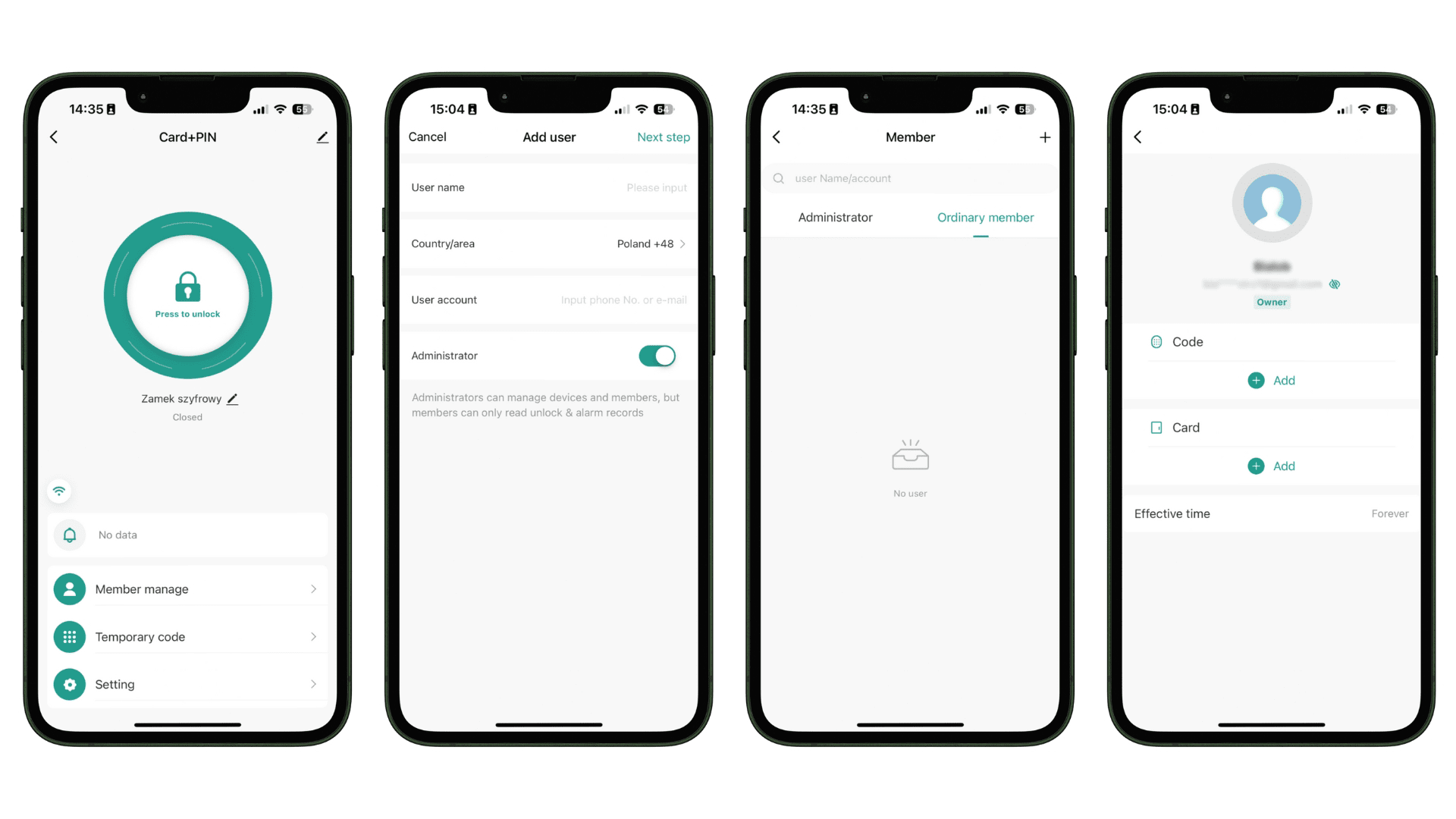
In the mobile application, you can easily add both administrators and regular users.
- Administrators have full rights to manage devices and users, being able to monitor and modify lock settings.
- Users only have read access to opening records and alarms.
The process of adding a new user is intuitive – just enter the name, country, and phone number or email address, then define the person's role. Additionally, it is possible to assign individual codes or access cards.

Thanks to the ability to remotely open and close doors using the mobile application, the user has full control over access to their home or office. The system allows you to view entry history, which allows you to monitor who used the lock and when.
Additionally, there is an option to set up notifications that can be received on your phone or via SMS, informing you of every attempt to open the lock. The simple application interface ensures ease of use and configuration.

Temporary access code
Our code lock offers the function of setting a temporary access code, which is ideal for people needing one-time or periodic access to your home or office.
In the mobile application, you can easily generate a temporary code that will be valid for a specific period. Simply select the type of code (recurring or one-time), enter a six-digit code or generate it randomly, name the code, and set its activation and expiration dates.
For example, if you expect a service technician, you can generate a one-time access code valid only for the duration of their visit. After generating the code, you can share it via SMS, email, or copy and send it in your preferred way. Thanks to this feature, guests can easily and securely gain access without the need to provide permanent codes.

The Spreest code lock is distinguished by its water resistance, making it an ideal solution for both indoor and outdoor applications.
Thanks to its high waterproof rating, the lock effectively operates in all weather conditions, from rainy days to snowy winters. Regardless of whether you mount it on a gate, garage, or front door, you can be sure that the lock will provide reliable protection and durability for many years.

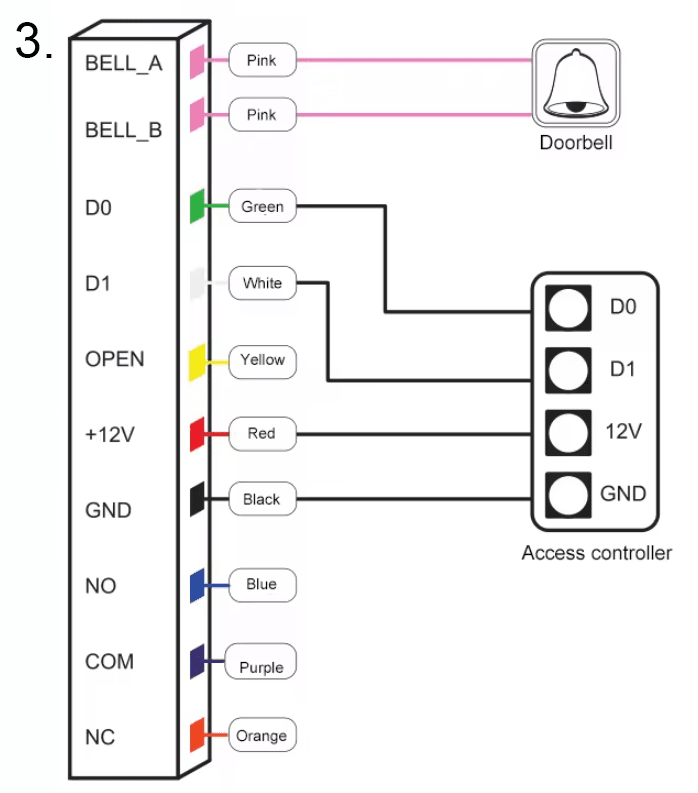
Our advanced access control device offers various connection options, allowing for flexibility and adaptation to different needs.
Below is detailed information about available connections and their applications.
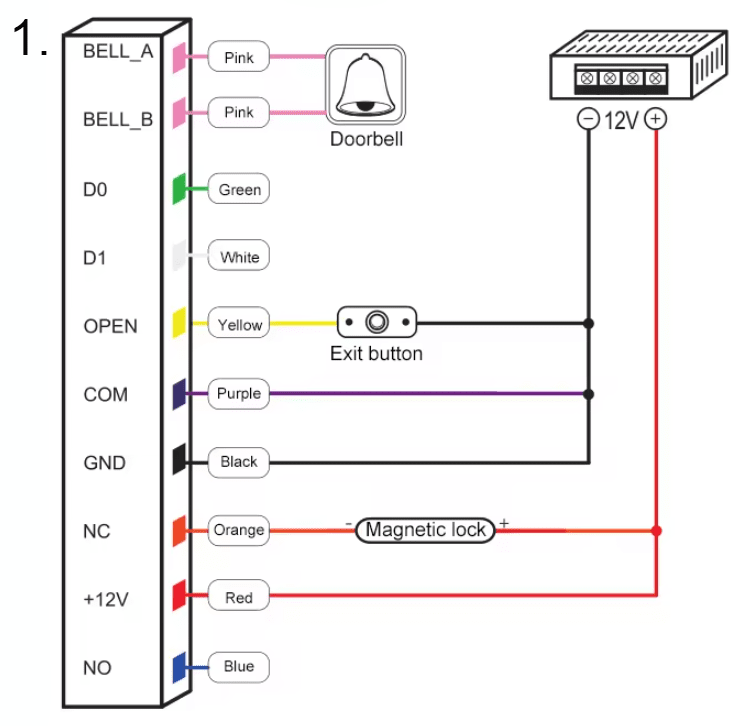
Wire colors and their functions:
1. BELL_A (Pink) - Input for connecting the doorbell.
2. BELL_B (Pink) - Input for connecting the doorbell.
3. D0 (Green) - Input for connecting data (D0).
4. D1 (White) - Input for connecting data (D1).
5. OPEN (Yellow) - Input for connecting the exit button.
6. COM (Purple) - Common input, used for closing circuits.
7. GND (Black) - Ground input.
8. NC (Orange) - Input for connecting a magnetic lock (normally closed).
9. +12V (Red) - 12V power input.
10. NO (Blue) - Input for connecting a lock (normally open).

Possible connections and their applications:
1. Doorbell connection (BELL_A, BELL_B)
- Connecting pink wires to the doorbell enables notification of access attempts.
- Example: Connecting a doorbell at the entrance.
2. Data transmission (D0, D1)
- Green (D0) and white (D1) wires are used to transmit data between access control devices.
- Example: Integration with a building access control system.
3. Exit button (OPEN)
- The yellow wire connected to the exit button allows for quick exit from the secured area.
- Example: Installing a button at exit doors.
4. Circuit closing (COM)
- The purple wire (COM) is used as a common wire for closing circuits, activating locks or other devices.
- Example: Connection to various types of electronic locks.
5. Grounding (GND)
- The black wire (GND) ensures stability and safety of connections as grounding.
- Example: Connecting the ground for the entire system.
6. Magnetic lock (NC)
- The orange wire (NC) is used for magnetic locks that require continuous power (normally closed).
- Example: Installing a magnetic lock on a door.
7. Power supply (12V)
- The red wire provides 12V power to the device or lock.
- Example: Connecting to the main power source of the access control system.
8. Normally open (NO)
- The blue wire (NO) is used to connect a lock that is normally open.
- Example: Connecting a rim lock or other type of lock requiring activation.

Additional elements and connections:
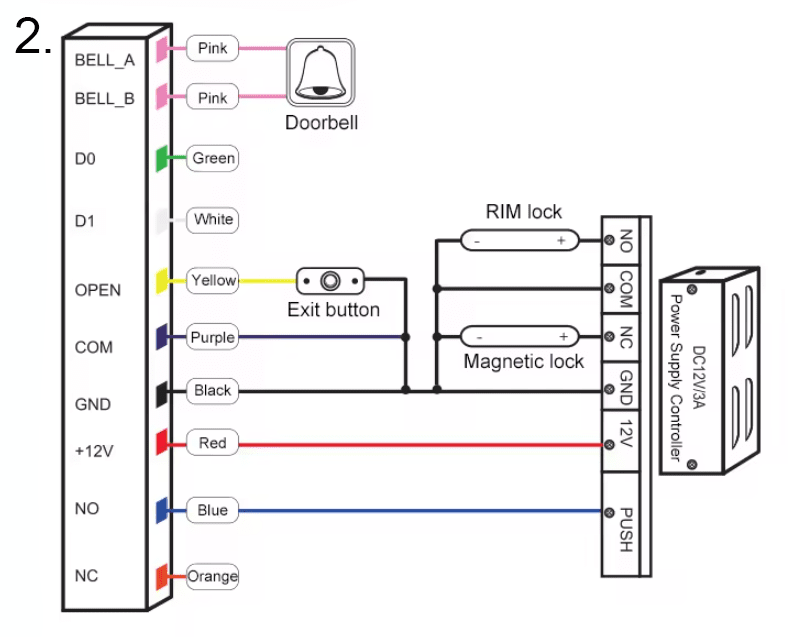
- RIM Lock: Ability to connect a rim lock to NO, COM, NC outputs.
- Power controller (DC12V/3A): Ensures proper power supply and energy management for the lock and other connected devices.
- Access controller: Integration with an access controller for full system control.

Technical specification
- Operating voltage: DC12V
- Card reading distance: 2 ~ 5 cm
- Operating temperature: -40℃ ~ 60℃
- Lock output load: ≤3A
- Standby current: ≤30mA
- Capacity: 2000 users
- Door relay time: 0 ~ 99 S (adjustable)
- Water resistance: Yes

Set includes
- 1x Code lock with keypad T12EM-W Tuya Smart
- 2x Screws
- 2x Wall plugs
- 1x User manual
The user manual in Polish is available for download as an attachment. You will find it below or above our product description.
Most interesting commands for managing the lock:
1. Change administrator code: Allows easy update of the default factory code 999999, providing additional security.
- Command: * Master code # 0 New code # New code #
2. Add cards: Ability to continuously add cards, ideal for a large number of users.
- Command: * Master code # 1 Read card # ... #
3. Add card numbers: Allows adding cards using 8- or 10-digit numbers.
- Command: * Master code # 1 8 digits or 10 digits #
4. Add users with ID number and card: Enables easy user management by assigning an ID number to a card.
- Command: * Master code # 1 ID number # Read card #
5. Add PIN codes: Allows adding users with an ID number and a unique 4-digit PIN code.
- Command: * Master code # 1 ID number # 4 digits Pin code #
6. Delete cards: Ability to delete cards individually or in bulk, useful in case of a lost card.
- Command: * Master code # 2 Read card or 8 digits or 10 digits #
7. Delete all users: Quickly delete all users except the public PIN code.
- Command: * Master code # 2 0000 #
8. Access modes:
- Card only: * Master code # 30 #
- Card + PIN code: * Master code # 31 #
- Card or PIN code: * Master code # 32 # (default)
9. Door opening time: Adjust door opening time from 0 to 99 seconds (default 5 seconds).
- Command: * Master code # 4 0 ~ 99 #
10. Operating modes:
- Stand-alone mode: * Master code # 50 #
- Relay switching mode: * Master code # 51 #
- Reader mode: * Master code # 52 26/34 #
11. Data backup:
- Data input: * Master code # 71 #
- Data output: * Master code # 70 #
12. Add public code: Ability to add one public code.
- Command: * Master code # 9 4 digits code #