

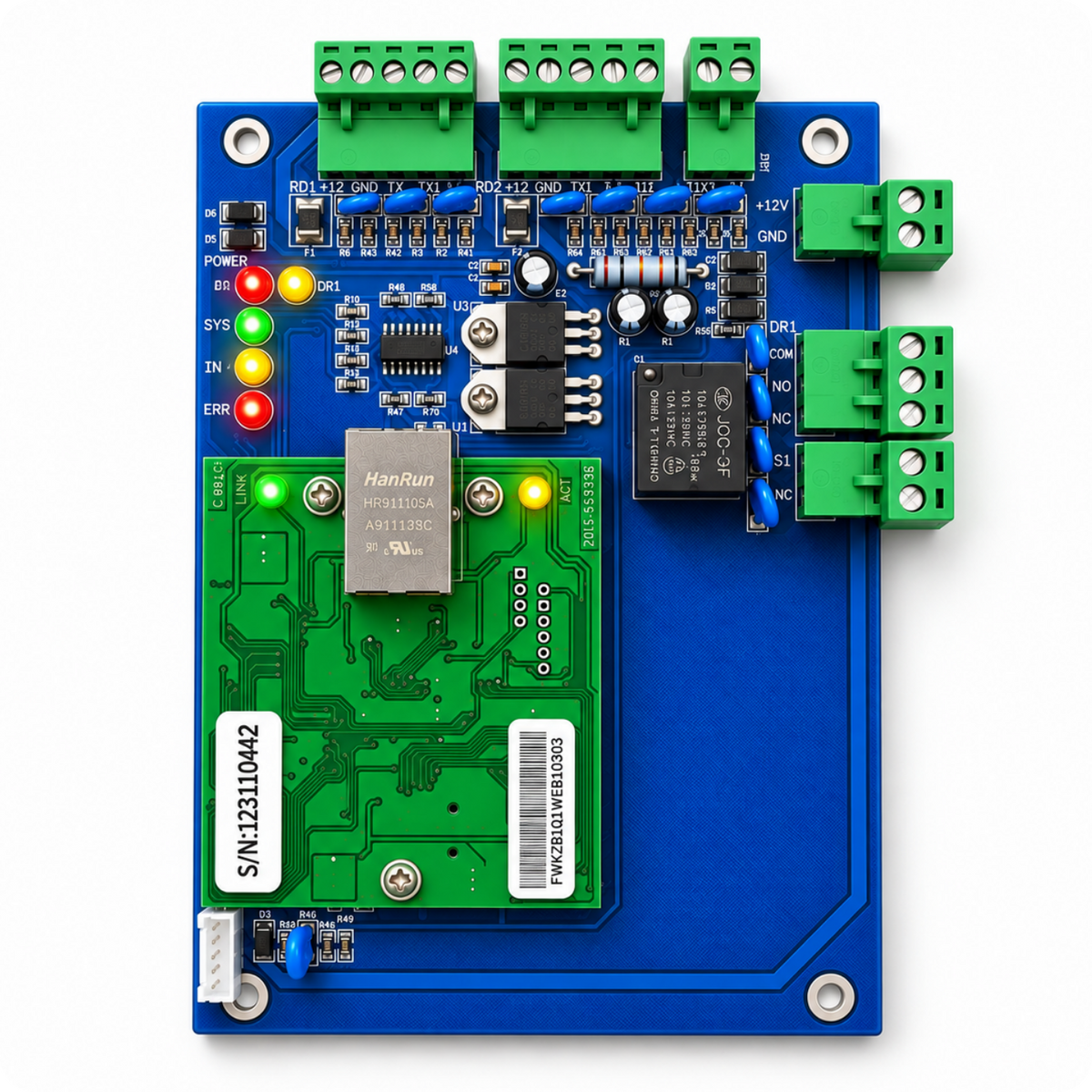

ACB-001 Single-Door Access Control Panel TCP/IP Wiegand



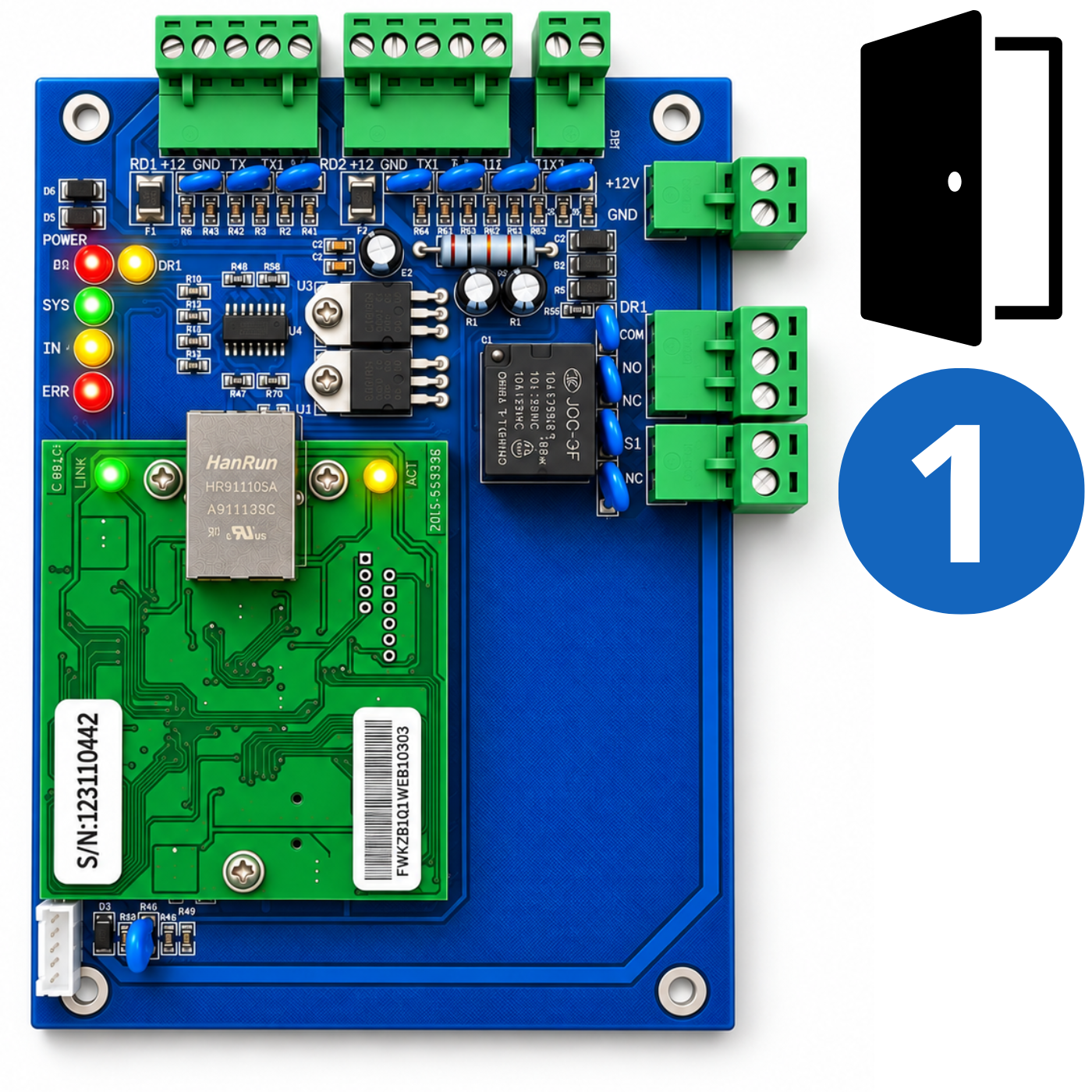
The Spreest ACB-001 TCP/IP Wiegand access control panel is a complete foundation for creating an access control system for a single passage – such as the entrance door to an office, warehouse, production facility, business or commercial premises.
The controller supports up to 20 000 user cards and 100 000 events, making it suitable for both small businesses and facilities with a larger workforce.
It not only allows you to open the door using RFID cards, but also to control access to the facility and record users' entries and exits.
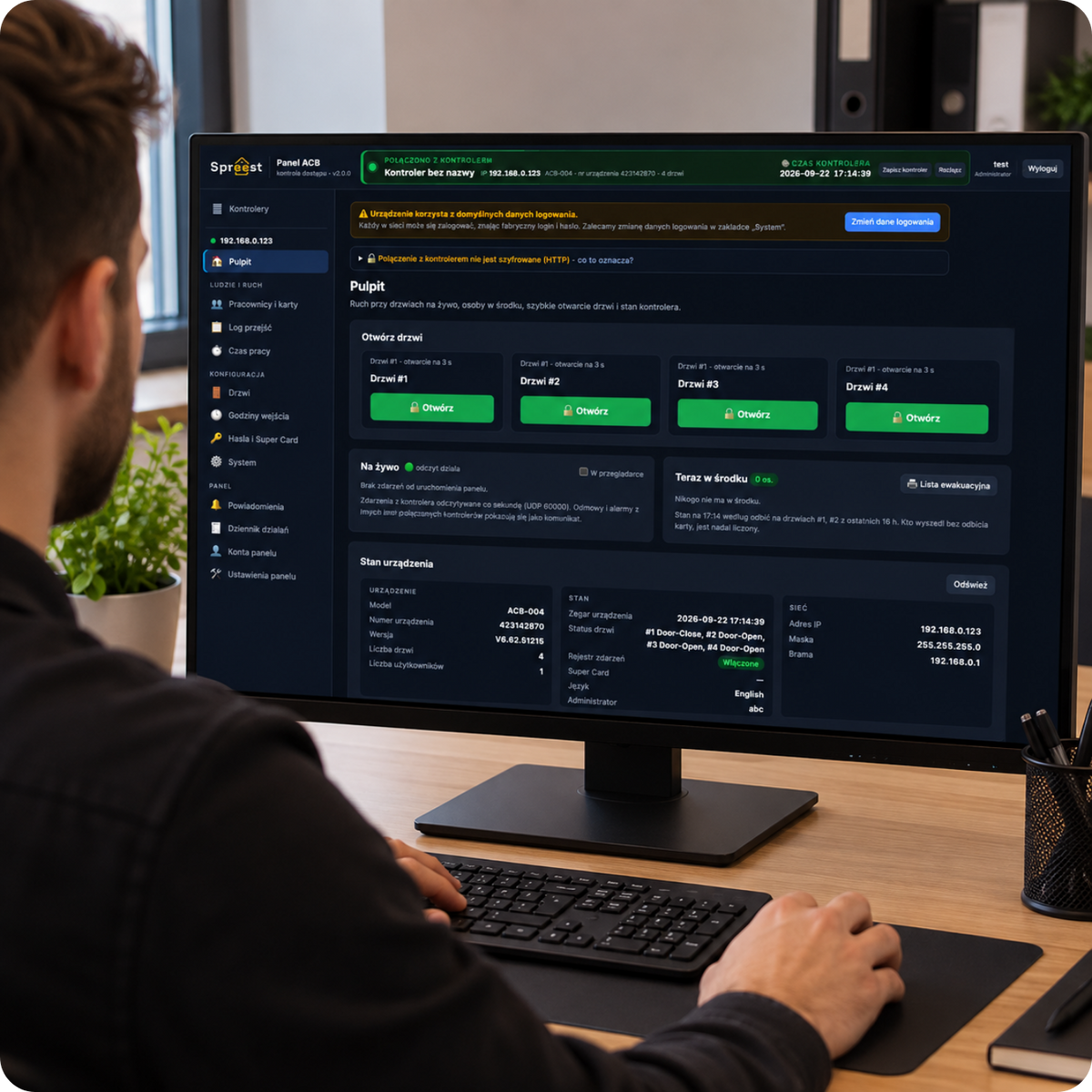
The controller works with our central system management software, which allows you to create schedules, view attendance, generate working time reports and configure notifications.
This solution is particularly useful for businesses that want to combine access control, entry and exit logging, and basic working time records.
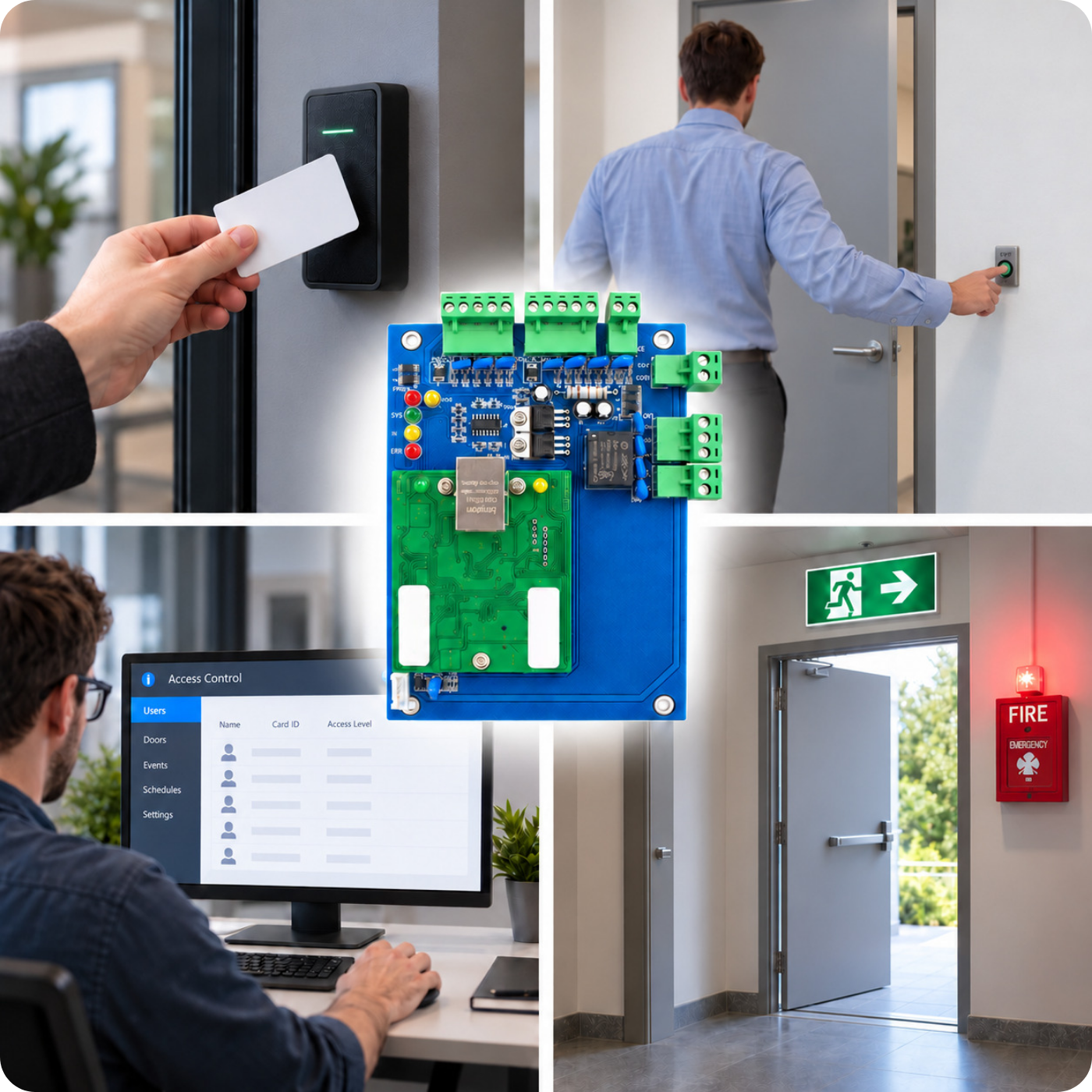
Key features
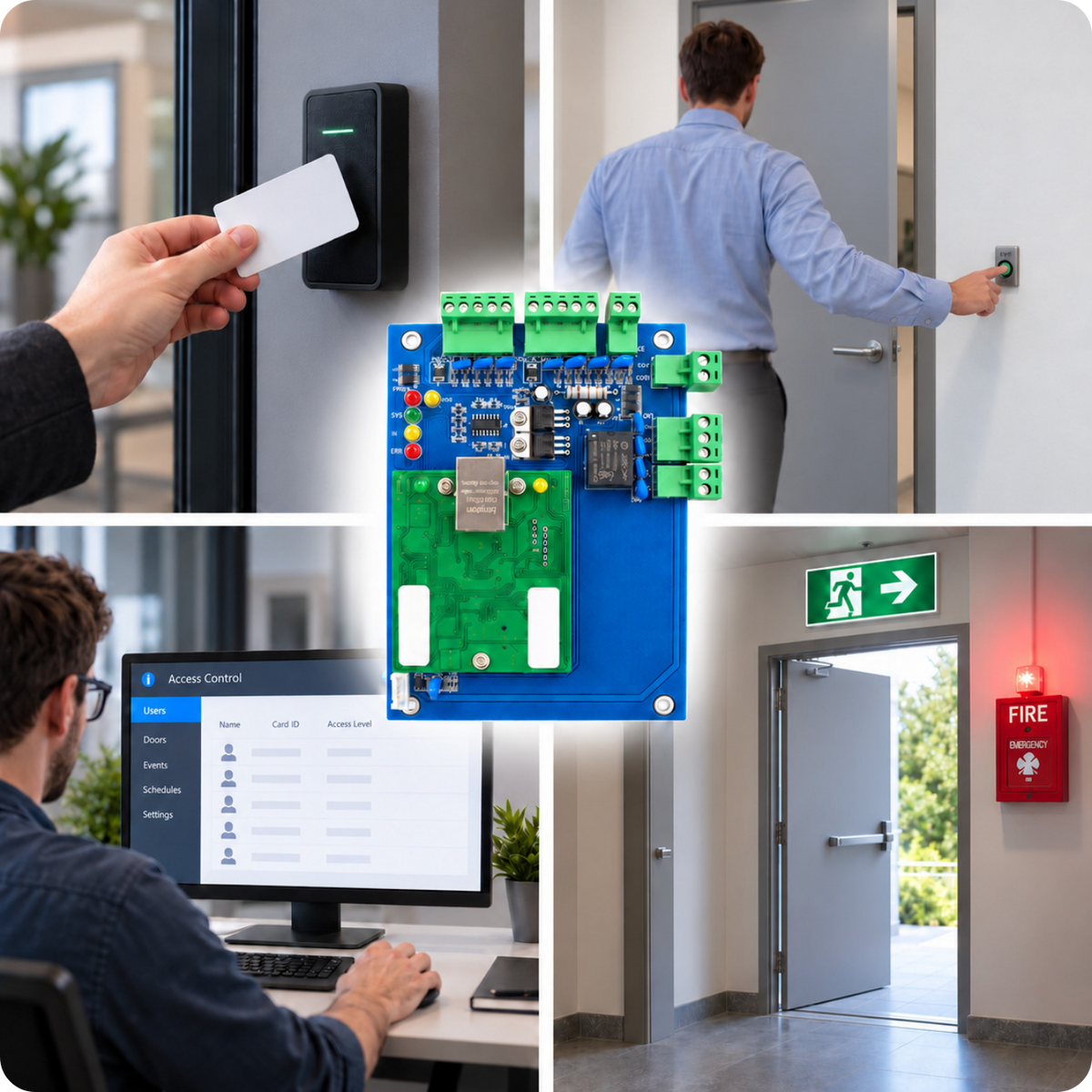
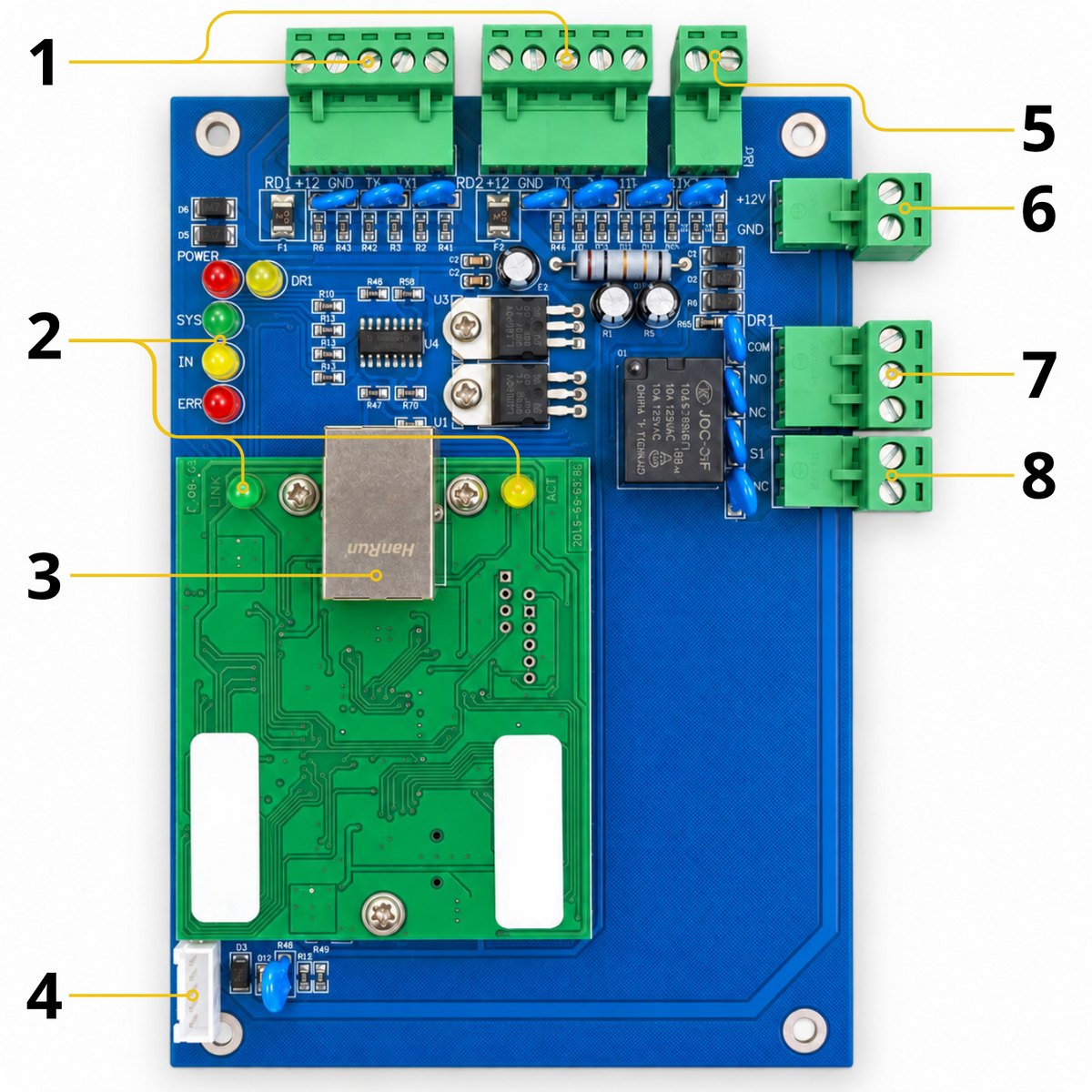
1. Supports 2 RFID readers – The device allows you to connect a separate reader for entry and exit.
2. Wiegand 26 – Compatible with supported access readers.
3. Remote access management – Conveniently operate and configure the controller over an Ethernet network.
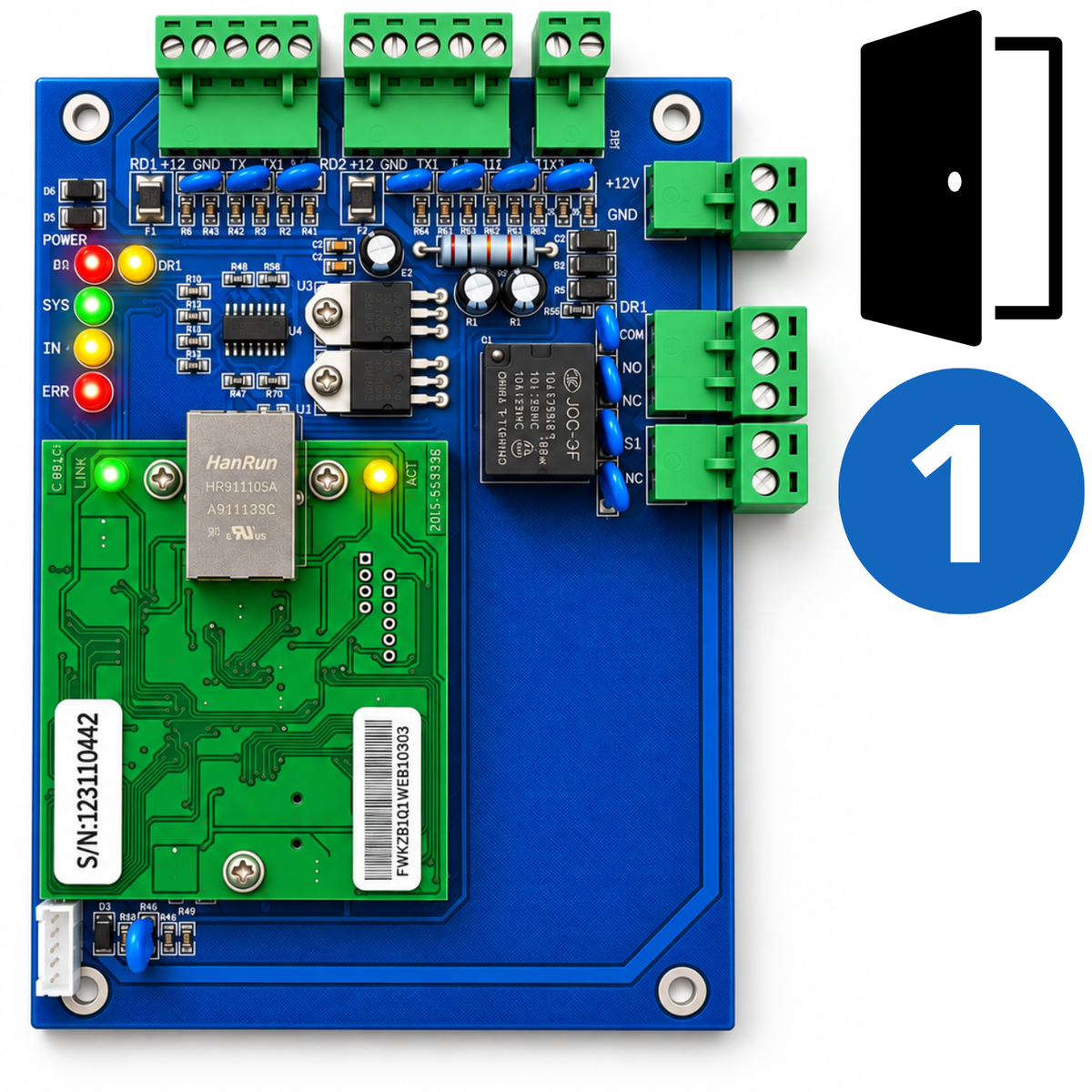
4. Electric lock control – NO/NC/COM relay for operating an electric lock, electric strike or electromagnetic lock.
5. Door status sensor – Lets you monitor whether the door is open or closed.
6. Status LEDs – Clear indicators for operation, power, network and door status.
7. Optional alarm integration – Can be expanded to work with, among other systems, a fire alarm system.

Versatile access control
The ACB-001 controller lets you create a functional access control system for one door. You can connect, among other devices:
- Wiegand entry and exit readers
- Electric strike or electric lock
- Electromagnetic lock
- Exit button
- Door status sensor (reed switch)
- Optional alarm and fire alarm module
This means that one controller brings together the key components of the system and lets you conveniently manage access to a selected passage via TCP/IP.
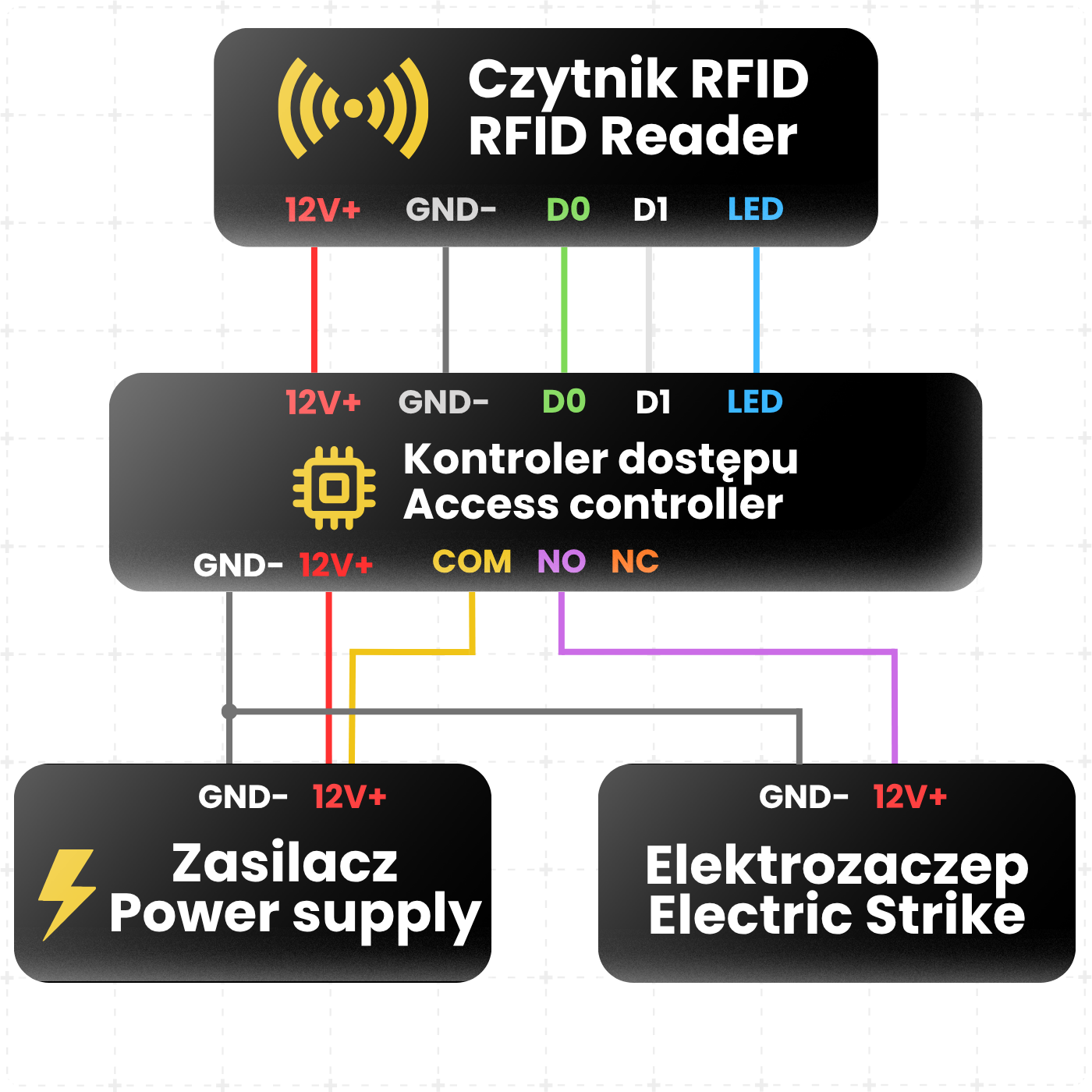
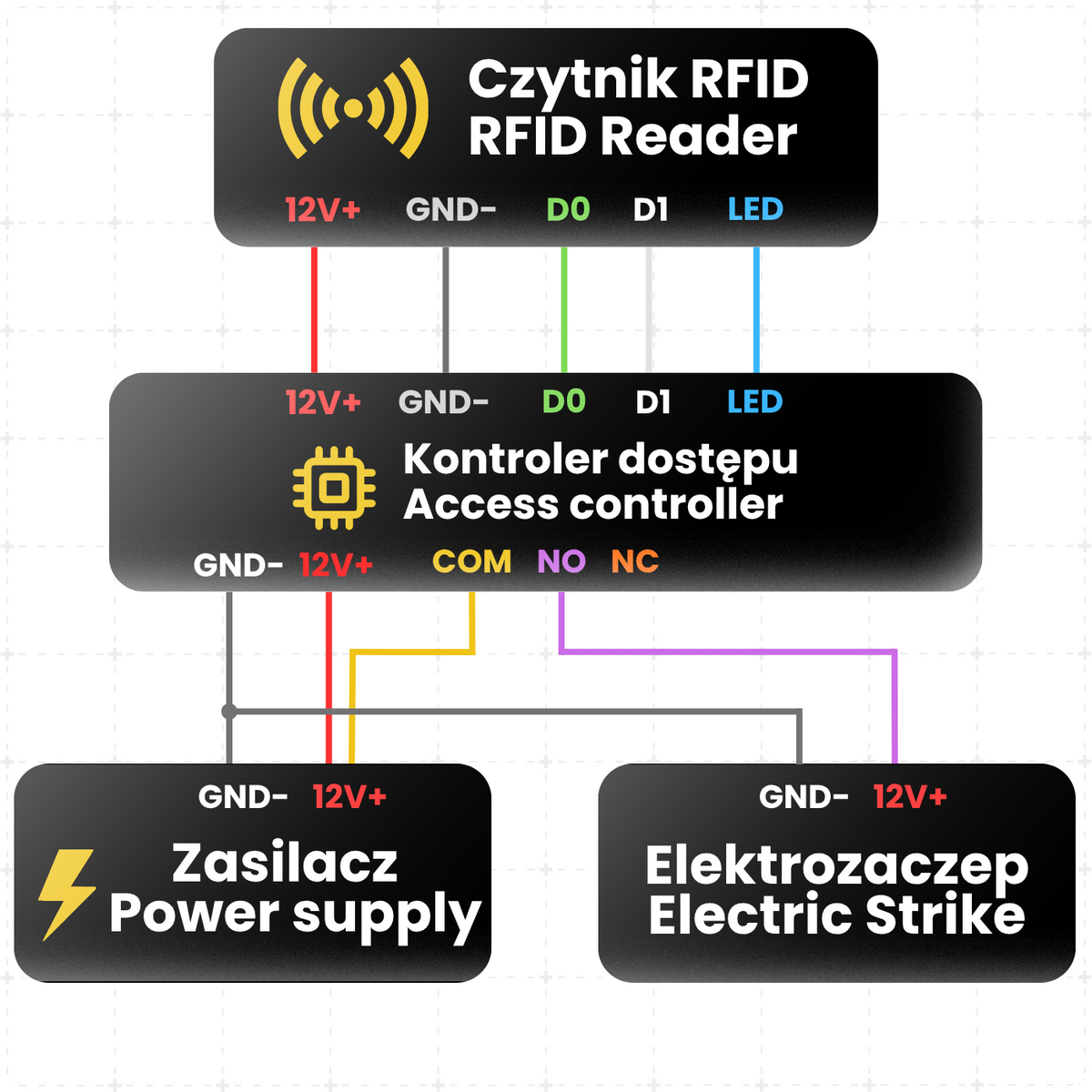
Example access control system wiring diagram
- Red – 12V+ – Connect to the positive terminal of the 12V DC power supply.
- Black – GND – Connect to the negative terminal of the power supply; this is the common ground for the controller, reader and electric strike.
- Green – D0 – Wiegand D0 data line between the RFID reader and controller.
- White – D1 – Wiegand D1 data line between the RFID reader and controller.
- Blue – LED – Reader LED control wire, connected to the controller's LED output if required.
- Controller relay COM – Connect to the power supply's +12V terminal.
- Controller relay NO – Connect to the electric strike's positive terminal.
- Electric strike negative terminal – Connect to the power supply's GND.
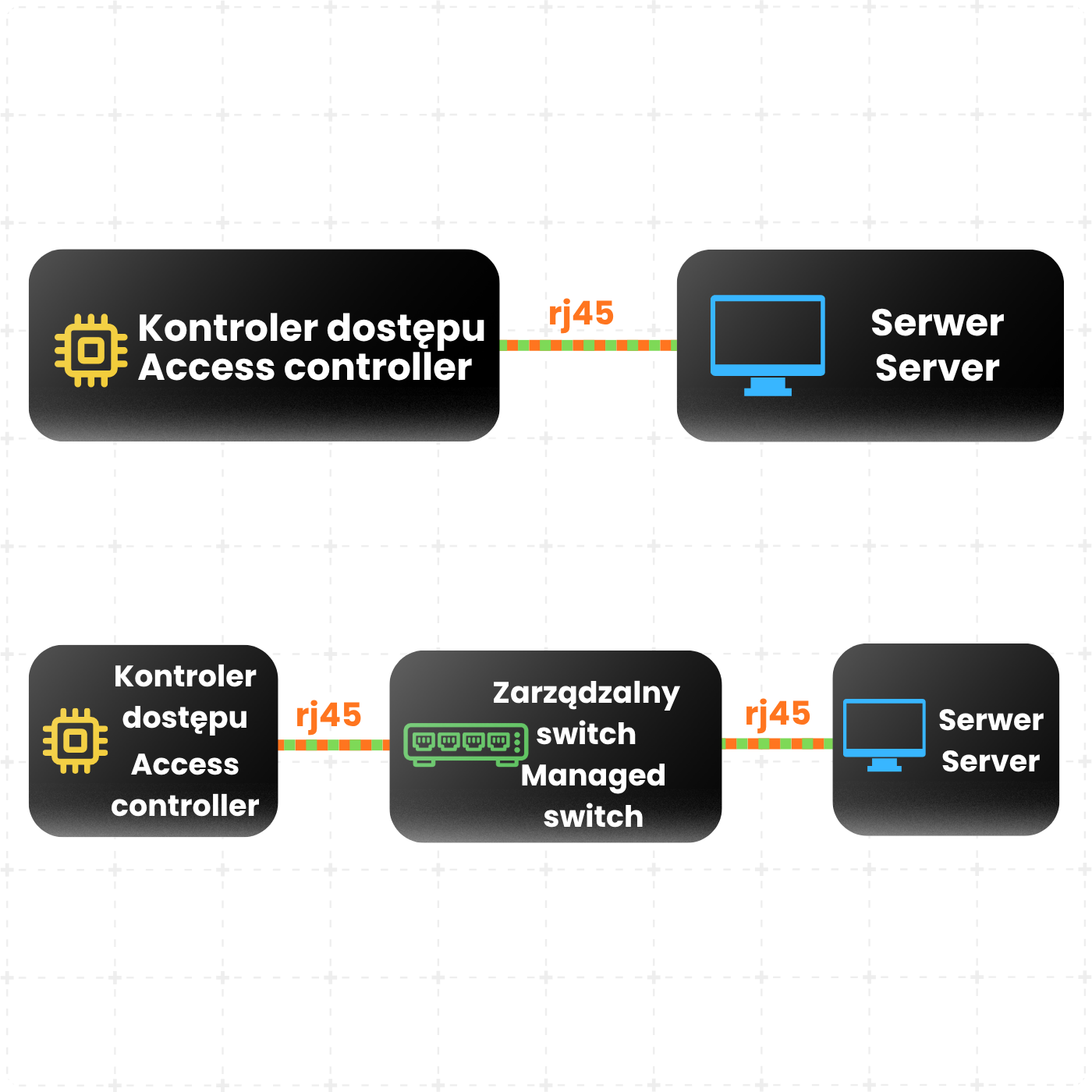
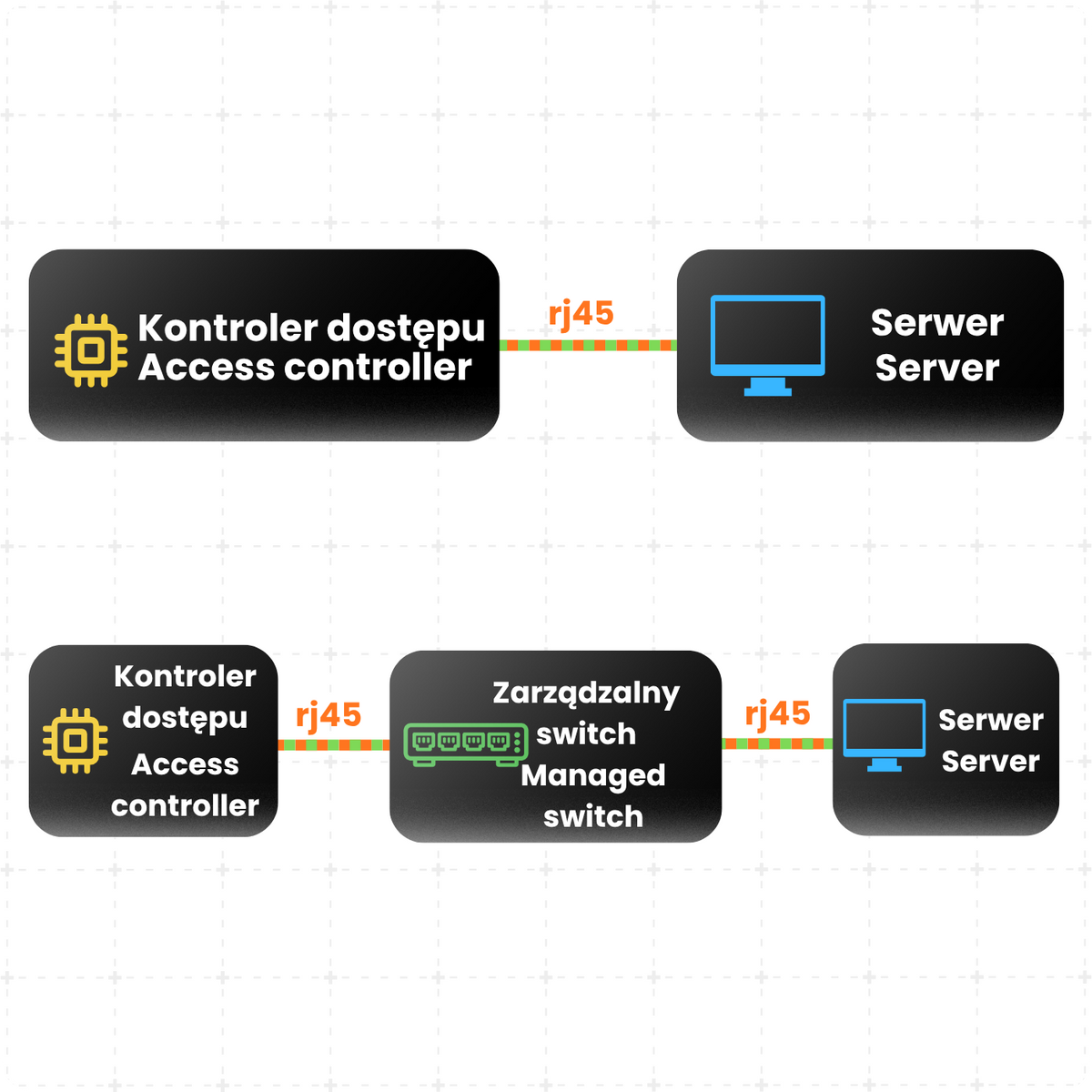
Example network connection diagrams
1. Controller – Server – In this configuration, the controller can only be accessed from the server. Network traffic is encrypted on the server, keeping all network traffic relating to the controller's data secure. In this configuration, other network devices, such as a reception computer, connect to the server through a dedicated application.
2. Controller – Managed switch with VLAN – Server – This configuration allows other network devices to be connected to the same switch. With VLAN configured, these devices cannot see the controller's network traffic; only the server can. As in the previous configuration, you connect to the controller through the interface running on the server.
The above controller connection methods help keep its network traffic secure.
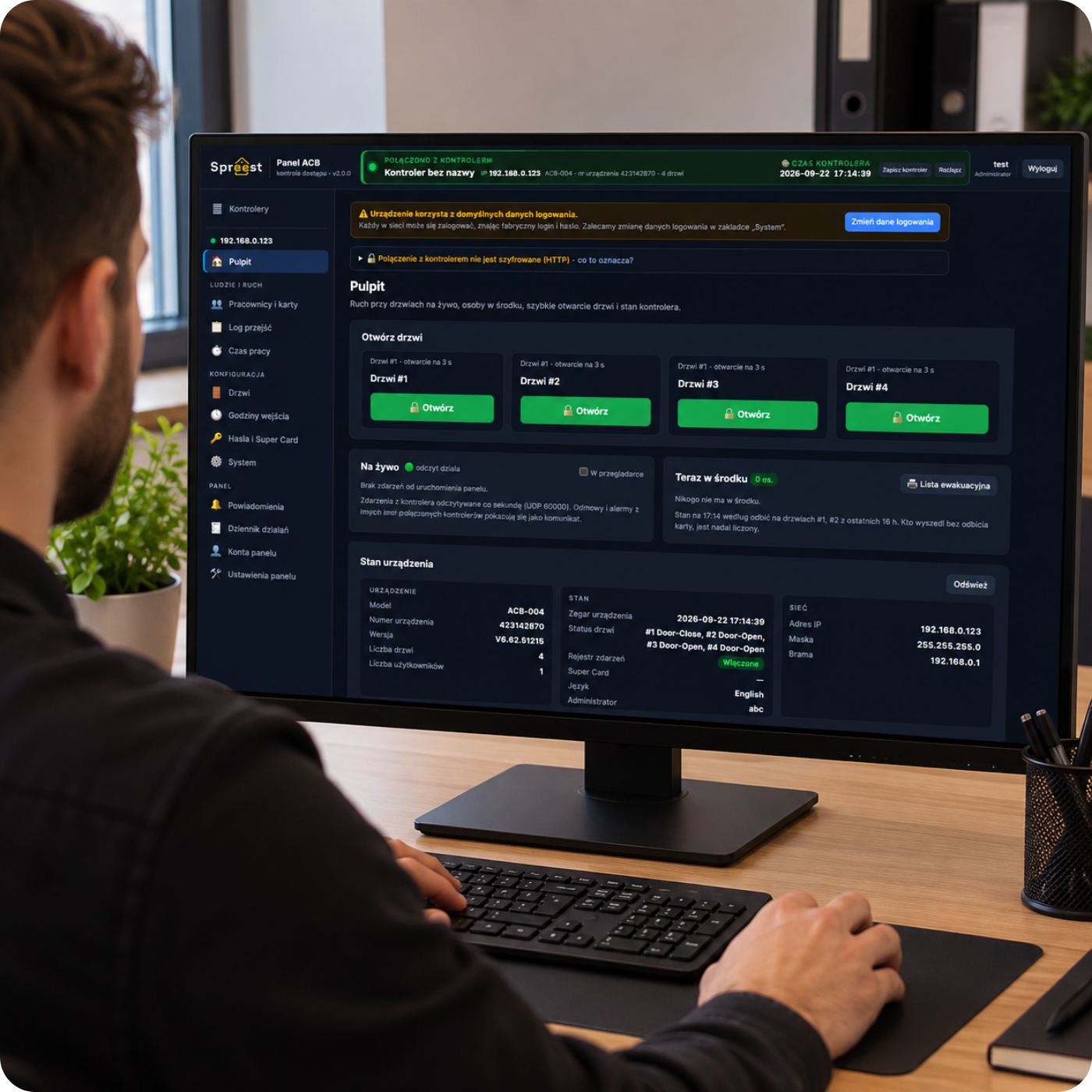
Our software features
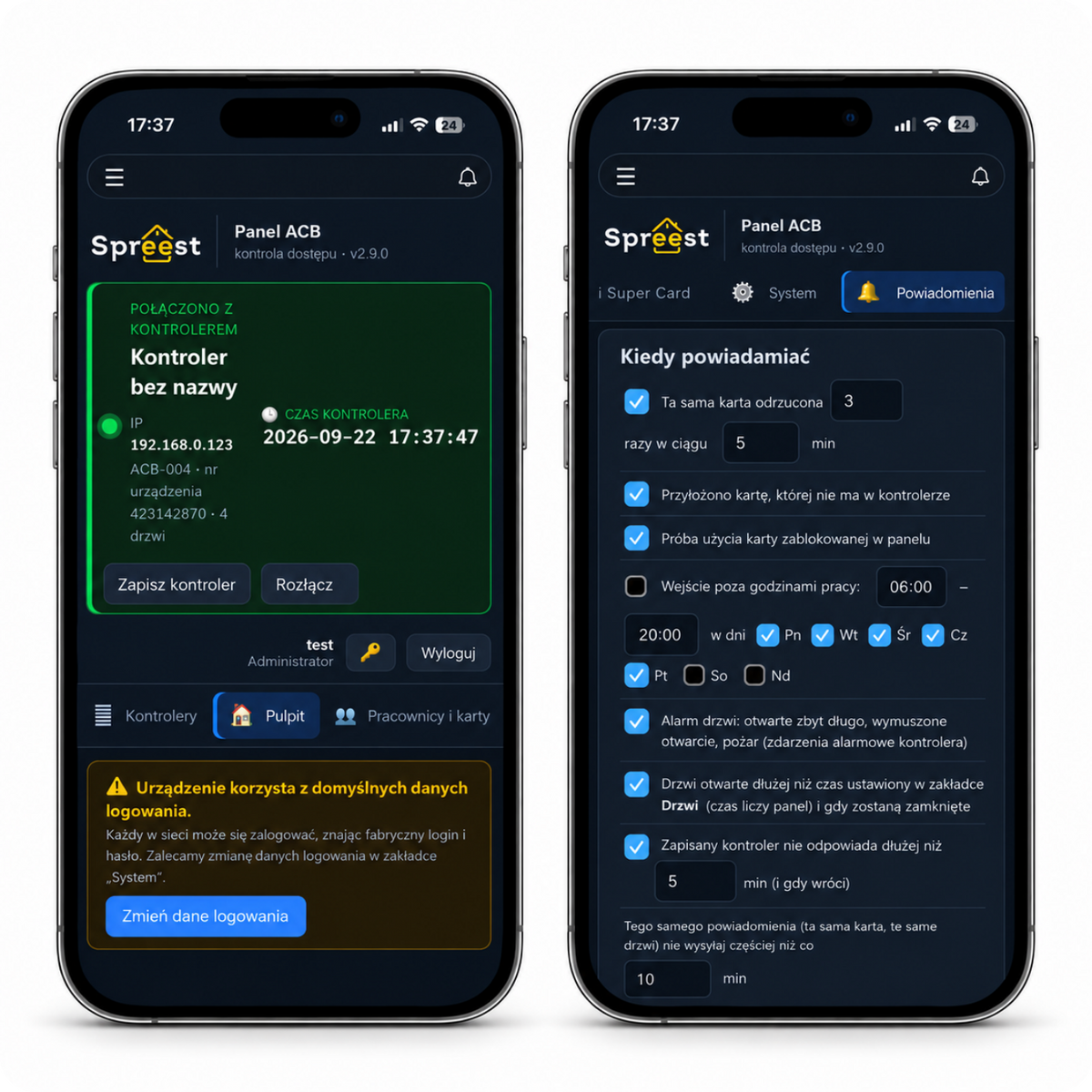
1. All controllers in one window – Find controllers on the network, connect with one click and manage multiple doors and locations from one place.
2. Employees, not card numbers – Group people into departments and upload hundreds of cards at once by pasting a list from Excel. Block lost cards with one click and set expiry dates for visitors, trainees and contractors.
3. Entry times for each department – Production staff can enter from 6:00, office staff from 8:00, and service staff at any time. Add public holidays with one click and set exceptions for specific days; the dashboard will take care of the rest.
4. Working time records without an additional system – Time on site, overtime, lateness and days without clock-ins are calculated automatically. A monthly timesheet for each employee is ready to print or save as a PDF, and you can also export to Excel (CSV).
5. Full access history – Every entry and exit is recorded for years, with filters by employee, department and date. You always know who used which door and when.
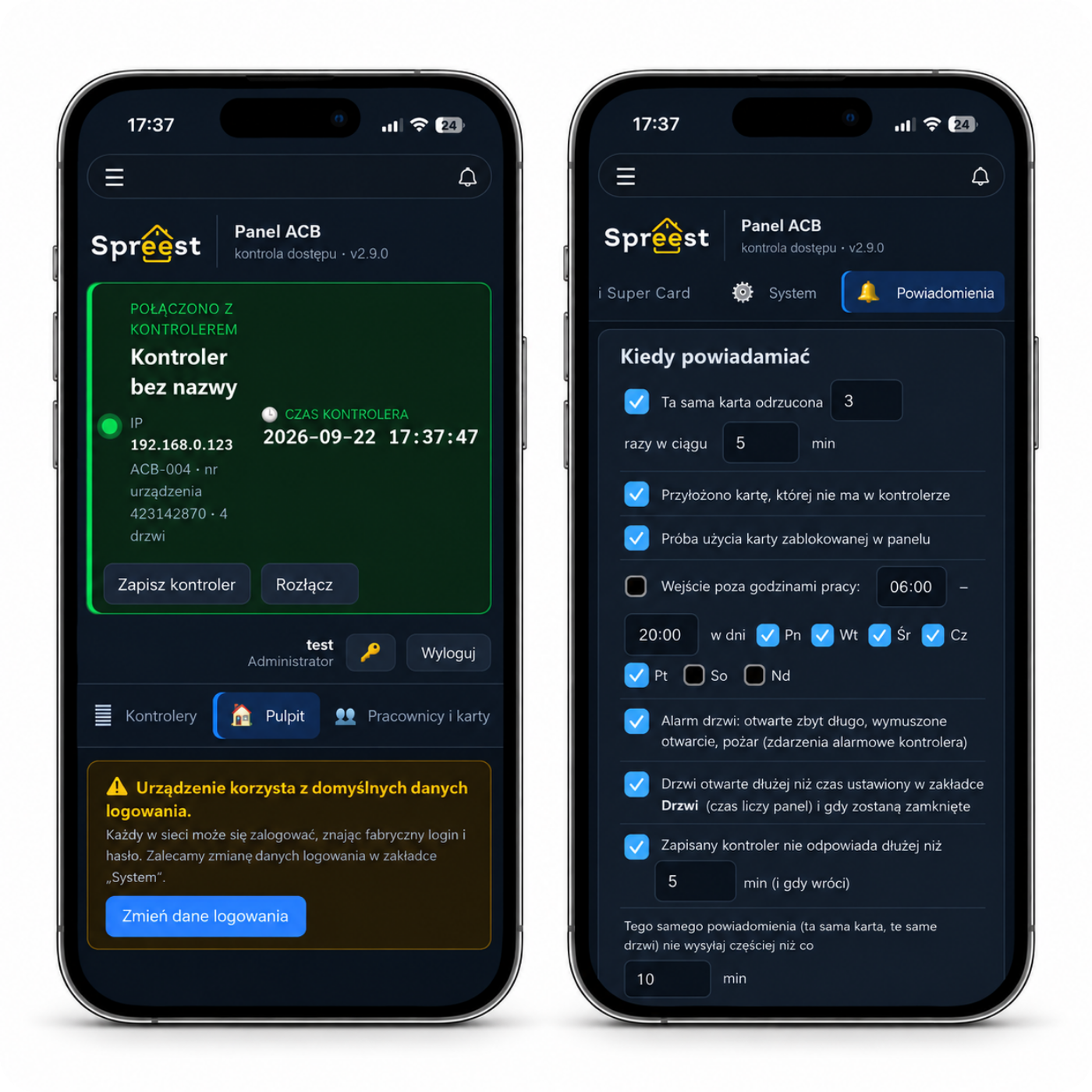
6. Know what's happening now – Live events, a list of people in the building and an evacuation list ready to print in seconds.
7. Alerts wherever you are – Notifications by email, Telegram, Slack or Teams, for example if a door is left open for too long, an unknown card is used, someone enters outside permitted hours or the controller loses its connection.
8. Secure and under control – Separate accounts with roles: viewer, operator and administrator. The activity log shows who changed what, and the dashboard is available via encrypted HTTPS (once configured by you).
9. No technical support required – Daily backups, automatic clock synchronisation and automatic reconnection after a restart.
10. Works on Windows, macOS and Linux – You can keep it running on a server or launch it once a month just to get a working time report.
The programme is Open Source – you can adapt it to your needs.
Remote access must be configured by you and may require configuration of the device and, in some cases, the network.
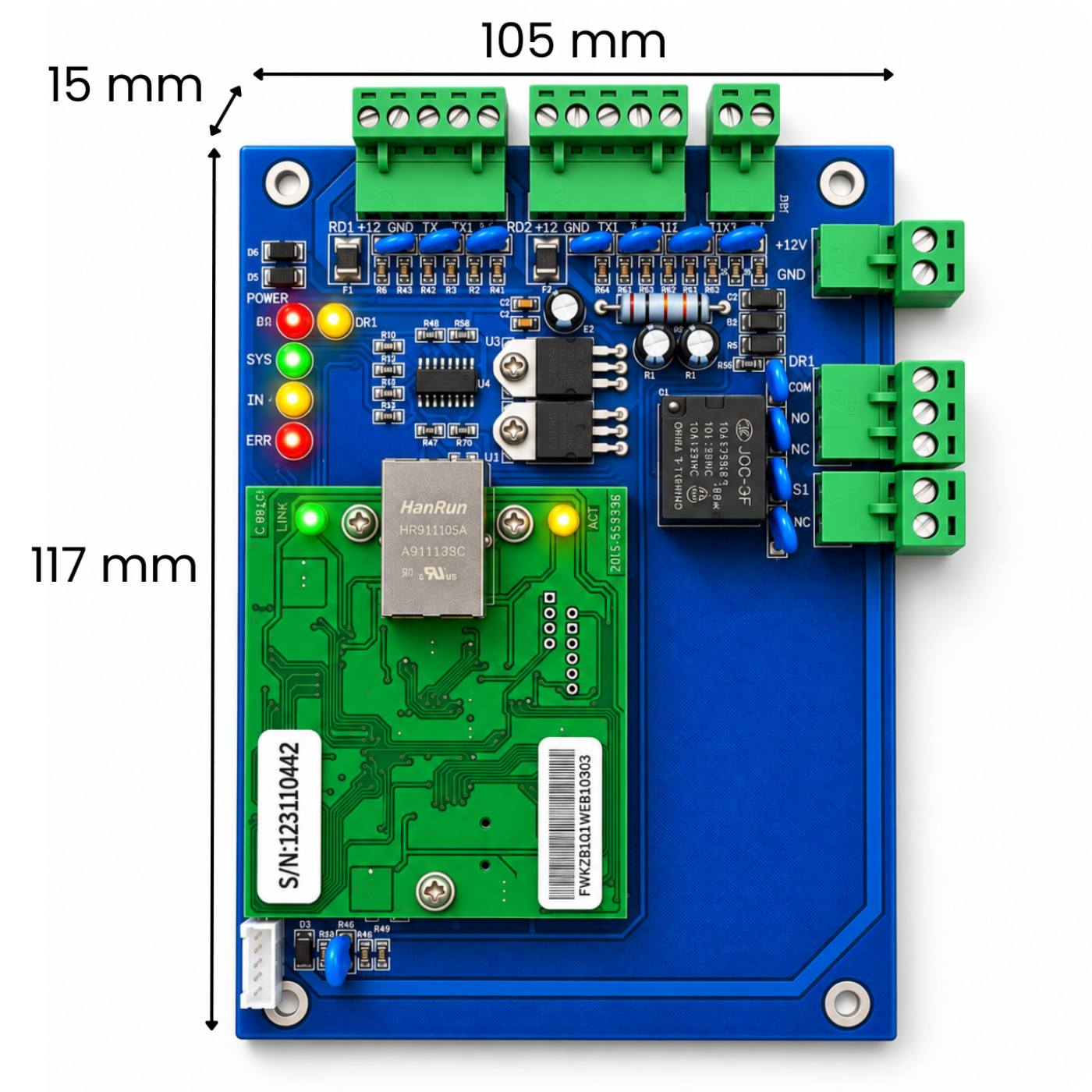
Technical specifications
- Number of doors supported: 1
- Number of readers supported: 2
- Number of RFID credentials supported: 20 000
- Number of events supported: 100 000*
- Reader interface: Wiegand 26 (WG26)
- Supported card technologies: Depends on the connected reader, e.g. EM 125 kHz / MIFARE 13,56 MHz
- Network communication: TCP/IP
- Network interface: Ethernet RJ45, 10/100 Mb/s speed
- Controller power supply: 12 V DC
- Lock control: DR relay
- Supported locks: Electric strikes, electric locks and electromagnetic locks
- Exit button: Yes
- Door status sensor: Yes
- Status indication: LEDs
- Alarm support and fire alarm integration: Yes, with an optional expansion module (not included)
- Colour: Blue-green
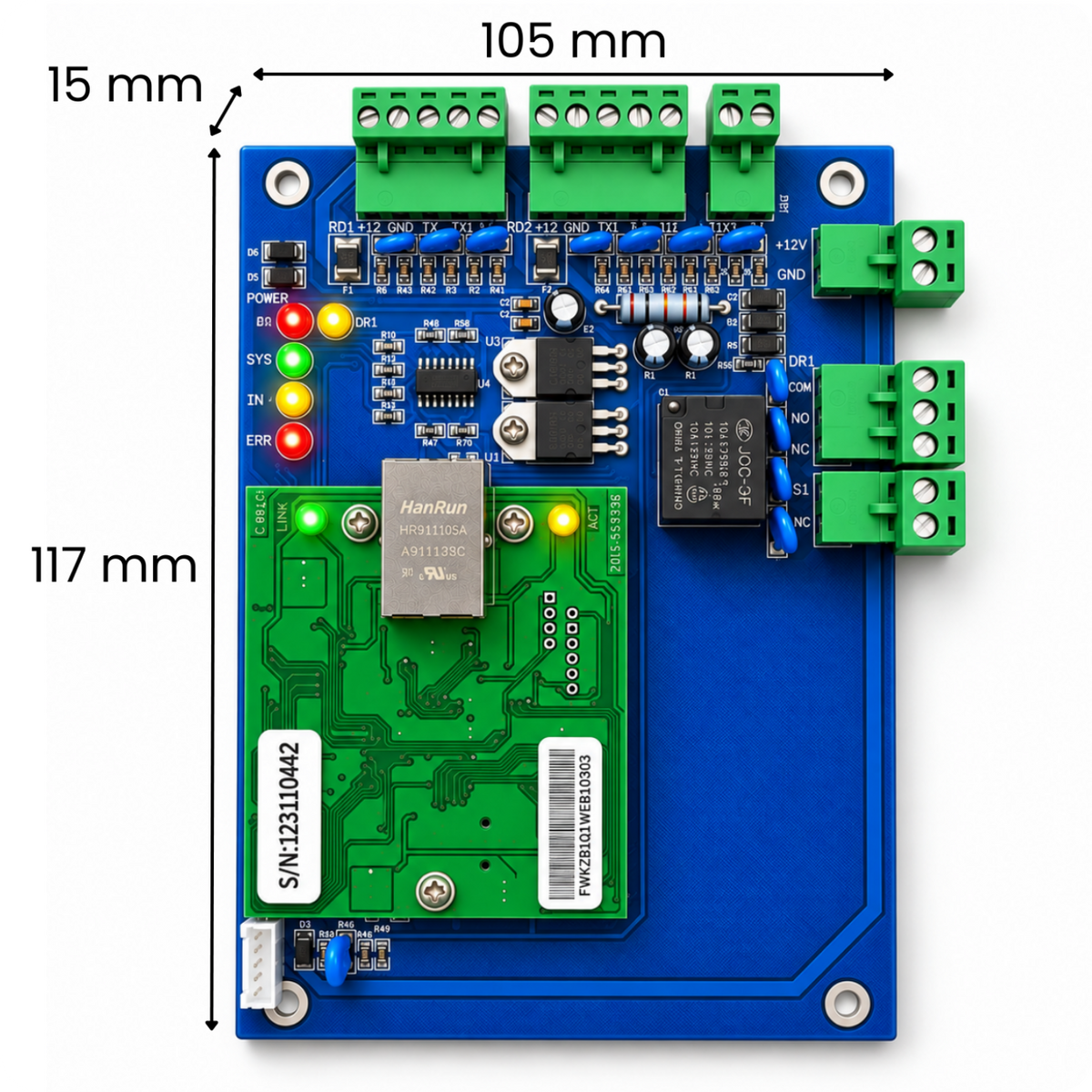
- Dimensions: 117 × 15 × 105 mm
- Weight: 150 g
*Once the limit of 100 000 events is reached, the history is reset and recording starts again.
Package contents
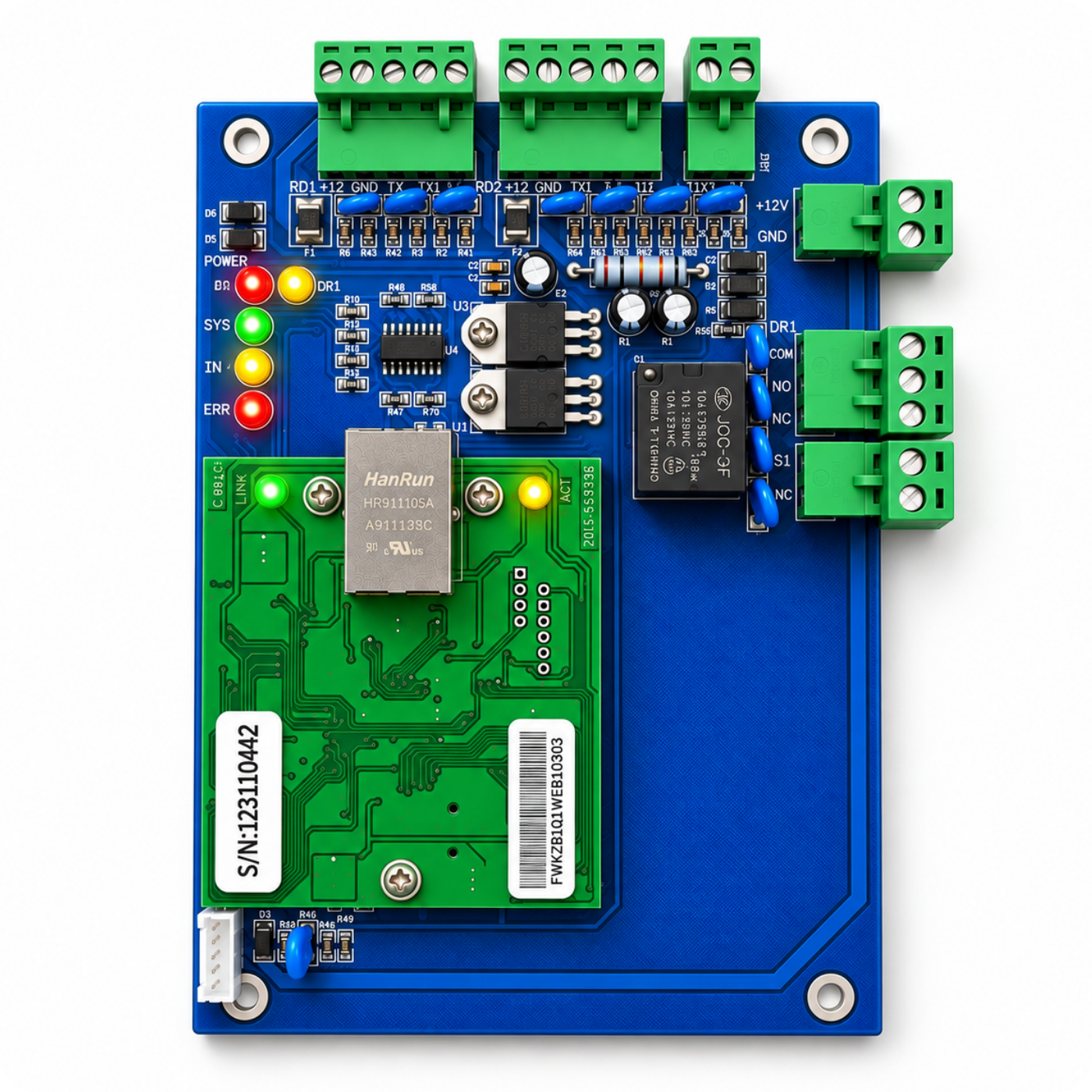
- 1x ACB-001 TCP IP Wiegand single-door access controller
- 1x User manual